
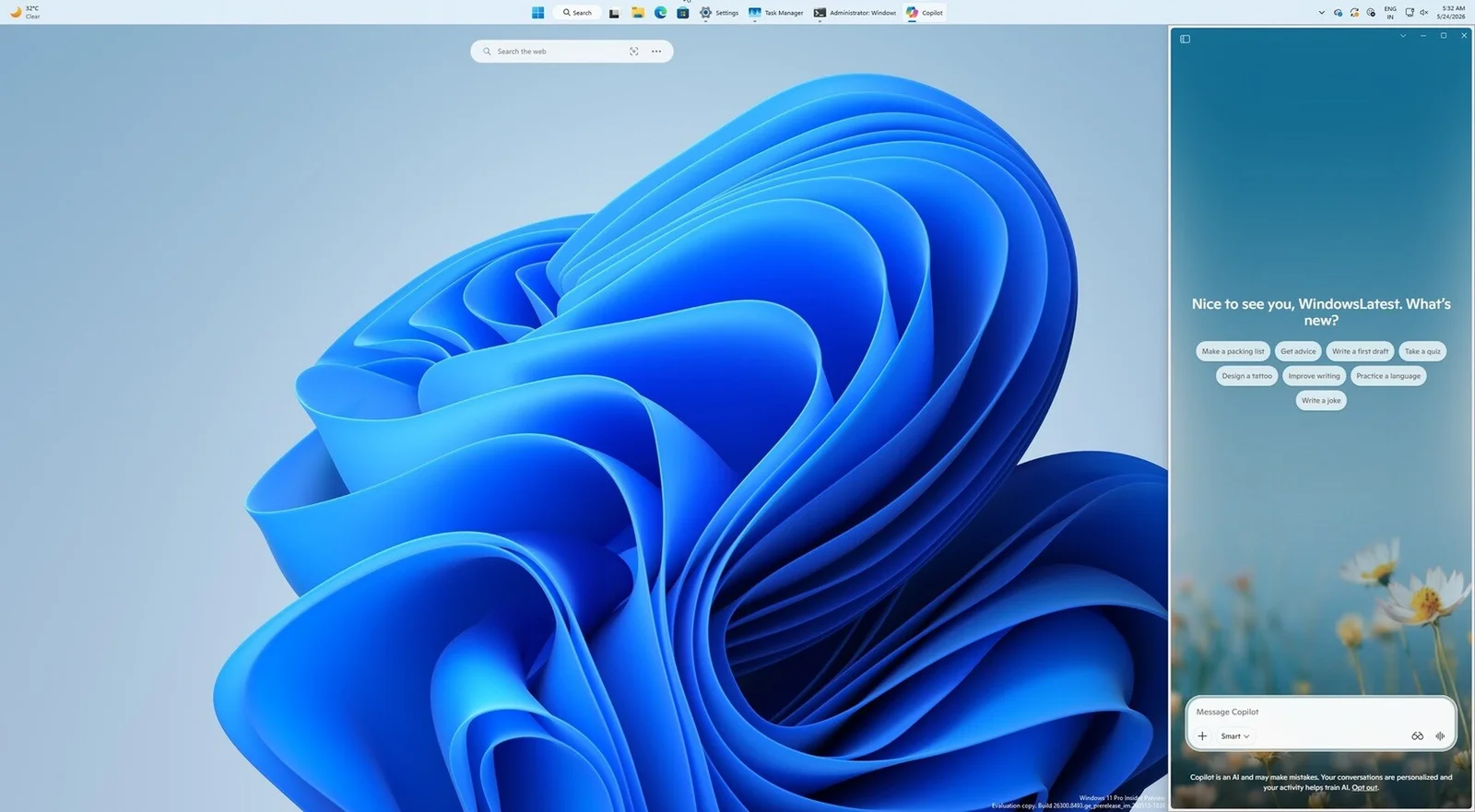
Copilot Reappears as Windows 11 Sidebar, Dockable on Either Side
TL;DR Summary
Microsoft is reintroducing Copilot as a dockable Windows 11 sidebar (left or right) that expands the desktop when attached. The feature returns to Microsoft's original desktop-integrated design, and admins can remove Copilot via two methods: a registry edit (set RemoveMicrosoftCopilotApp to 1 under HKEY_CURRENT_USER\Software\Policies\Microsoft\Windows\WindowsAI) or a Group Policy setting (User Configuration > Administrative Templates > Windows Components > Windows AI > Remove Microsoft Copilot App).
- Microsoft Copilot Returns as a Sidebar in Windows 11 TechPowerUp
- Microsoft lets users exile floating Copilot button after interface rage The Register
- Microsoft's big Copilot rollback continues as Office now lets you move its button to the ribbon XDA
- Microsoft admits the floating Copilot button in Word, Excel and PowerPoint was a mistake, lets you hide it after backlash Windows Latest
- Windows 11 now lets you remove Microsoft Copilot app with Group Policy or Registry, as it tries to win back users Windows Latest
Reading Insights
Total Reads
0
Unique Readers
45
Time Saved
23 min
vs 24 min read
Condensed
99%
4,751 → 65 words
Want the full story? Read the original article
Read on TechPowerUp