Tag

Copilot

All articles tagged with #copilot

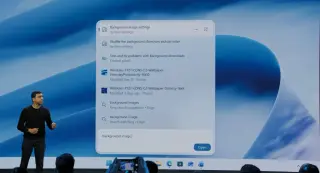
Windows 11 search box gets a chunky 4-pixel upgrade to match Copilot styling
technology1 day ago

Windows 11 search box gets a chunky 4-pixel upgrade to match Copilot styling

Microsoft is reportedly making Windows 11's Start menu and Taskbar search box 4 pixels taller, creating a chunkier look to align with the upcoming Ask Copilot UI. The change appeared in a Windows 11 preview build changelog and was confirmed by a Microsoft engineer, though it's not yet being previewed publicly; insiders are expected to see it first before a general rollout.

Copilot's Bold Reach Fails to Pay Off as Adoption Stalls and Prices Rise
technology3 days ago

Copilot's Bold Reach Fails to Pay Off as Adoption Stalls and Prices Rise

Microsoft 365 Copilot remains a hard sell: under 4.5% of Microsoft 365 customers pay for the paid Copilot add‑on, and only about 1% are active weekly. Microsoft has raised prices for the paid tiers (up to about $30 per user per month) and expanded model options (including Claude) while keeping a free Copilot Chat tier, signaling a bundling strategy that aims to monetize AI even as adoption stays low.

Windows 11 26H2 packs seven practical upgrades that could change daily PC use
technology5 days ago

Windows 11 26H2 packs seven practical upgrades that could change daily PC use

Microsoft’s Windows 11 version 26H2 is arriving as a small enablement package in the second half of 2026. In the Windows Insider Experimental channel it adds seven practical features intended to give users more control and smoother daily use: an optional Ask Copilot integrated into Search, a more customizable Taskbar, a redesigned Start menu with flexible sizing and layout, the option to disable web results in Windows Search, expanded Windows Update controls (calendar-based pause and reduced reboots), Administrator Protection to harden elevated tasks with Windows Hello, and a modern, optional Run dialog with a broader, recent-commands view. These changes roll out gradually and become part of the supported release once enabled.

Microsoft to Auto-Install Copilot on Windows 11 for 365 Business, Opt-Out Within 30 Days
technology18 days ago

Microsoft to Auto-Install Copilot on Windows 11 for 365 Business, Opt-Out Within 30 Days

Microsoft will resume automatic installation of the Microsoft 365 Copilot app on eligible Windows devices with Microsoft 365 desktop apps, rolling out between mid-June and mid-July. Admins can opt out, with the European Economic Area exempt from changes. The Copilot app is delivered via the Office updater (not Windows Store) and Copilot features are being integrated across Word, Excel, PowerPoint, Outlook, Teams, and the web. Users can disable Copilot per app or via privacy settings, and admins can use policies to block it, though complete removal isn’t simple and may require broader configuration.

Microsoft's AI pivot risks sidelining Windows and Office, critics warn
technology19 days ago

Microsoft's AI pivot risks sidelining Windows and Office, critics warn

Microsoft’s aggressive AI push—centered on Copilot and OpenAI ties—appears to divest focus from Windows and Office, sparking concerns that short‑term AI bets could undermine the profits and user adoption of its core products. The piece traces Satya Nadella’s pivot away from the traditional “software factory” vision toward AI, security, and transformation, while noting Windows 11 adoption challenges, Copilot rollouts, antitrust/regulatory pressures, and competition from LibreOffice/Euro‑Office. It also cites geopolitical moves (France toward Linux) and investor worries about AI spend vs. returns, leaving the fate of Windows and Office uncertain as Microsoft bets big on AI.

Microsoft Build 2026 Preview: Windows, Copilot, and Arm Hardware on Deck
technology1 month ago

Microsoft Build 2026 Preview: Windows, Copilot, and Arm Hardware on Deck

Microsoft Build 2026 in San Francisco (June 2–3) will reveal the future of Windows with Copilot enhancements and new Arm-based hardware. This site will provide live coverage of the keynote and hundreds of developer sessions, with previews of expected announcements and updates on what Windows will look like in the coming months and years. Satya Nadella is set to deliver the keynote on June 2, and viewers can watch via the Build website or YouTube.

Microsoft bets on AI‑driven Windows development at Build
technology1 month ago

Microsoft bets on AI‑driven Windows development at Build

Microsoft is using Build to push an AI‑first Windows strategy, including in‑house AI models (MAI‑Thinking‑1 and MAI‑Image‑2.5) and a Copilot “super app” (not yet previewed at Build), plus a new Windows 11 developer‑focused experience with local AI compute and performance improvements. The company also plans more Windows on Arm work with Nvidia and Qualcomm, and ongoing GitHub improvements as it seeks to rebuild developer trust.

Silencing Copilot in Windows 11: Quick steps to unpin, uninstall, and restrict it
technology1 month ago

Silencing Copilot in Windows 11: Quick steps to unpin, uninstall, and restrict it

Windows 11 users can reduce Copilot’s presence by unpinning it from the taskbar and uninstalling the Copilot app (though some components may persist and updates could re-enable it). For keyboard shortcuts, PowerToys lets you remap the Copilot key, and administrators can disable Copilot across devices via Group Policy and block reinstallation in future updates. Expect Copilot to reappear after major Windows updates, so periodic checks are advised.

Microsoft Build 2026 Preview: AI Agents Take the Spotlight
technology1 month ago

Microsoft Build 2026 Preview: AI Agents Take the Spotlight

As Build 2026 looms, expectations center on a heavy AI push: Copilot is evolving into async agents that can execute long-running tasks across apps, Agent Mode has become the default in Word, Excel, and PowerPoint, and OpenClaw-era buzz is likely to surface; rumors include new GitHub Copilot coding models and a potential Windows 12 reveal, with Xbox topics appearing unlikely. Satya Nadella will keynote on June 2, and the event will be largely streamed for free on YouTube while in-person tickets approach $1,100.

Microsoft Reframes Copilot UI for a Sleeker, Consistent 365 Experience
technology1 month ago

Microsoft Reframes Copilot UI for a Sleeker, Consistent 365 Experience

Microsoft is overhauling Copilot’s UI across Microsoft 365 with a minimal, text-forward, black-and-white design and a side-panel layout that stays consistent across Word, PowerPoint, and Excel. A new “prompt surface” unfurls options as you type, while side panels collapse when unused. The consumer Copilot remains colorful, but the 365 version signals a broader shift toward in-house AI models and selective app integration as Microsoft rethinks where Copilot appears in Windows and its software ecosystem.

Wipe Copilot from Windows 11: Two Practical Methods
technology1 month ago

Wipe Copilot from Windows 11: Two Practical Methods

Lifehacker outlines two ways to remove Microsoft Copilot from Windows 11: (1) use the Group Policy Editor (gpedit.msc) to disable Copilot or turn off Windows Copilot, a feature available on Windows 11 Pro or higher and only if Copilot hasn’t been launched in the last 28 days; (2) run a GitHub script from RemoveWindowsAI in PowerShell to remove Copilot and other AI features from all apps, with caveats about antivirus blocks and reviewing the script first. Microsoft has begun dialing back Copilot, but a complete off switch isn’t perfect yet.

Copilot Reappears as Windows 11 Sidebar, Dockable on Either Side
technology1 month ago

Copilot Reappears as Windows 11 Sidebar, Dockable on Either Side

Microsoft is reintroducing Copilot as a dockable Windows 11 sidebar (left or right) that expands the desktop when attached. The feature returns to Microsoft's original desktop-integrated design, and admins can remove Copilot via two methods: a registry edit (set RemoveMicrosoftCopilotApp to 1 under HKEY_CURRENT_USER\Software\Policies\Microsoft\Windows\WindowsAI) or a Group Policy setting (User Configuration > Administrative Templates > Windows Components > Windows AI > Remove Microsoft Copilot App).

Copilot Docks to Windows 11 Edge, Resizing Your Desktop Layout
technology1 month ago

Copilot Docks to Windows 11 Edge, Resizing Your Desktop Layout

Microsoft is rolling out a new Copilot docking feature for Windows 11 that lets Copilot snap to the left or right edge (or stay on top as a small window), causing your open apps to resize and reflow around the AI pane. This returns Copilot to the original idea of living alongside your apps rather than as a separate window, following several redesigns, and is being rolled out gradually. The docked Copilot is accessed via a title-bar menu and may be backed by an Edge-based wrapper, with Windows Latest noting the new snapping as a distinct option from the native Snap Layouts.