
Upgrade TV Audio in Minutes With Google's Latest Home Speaker
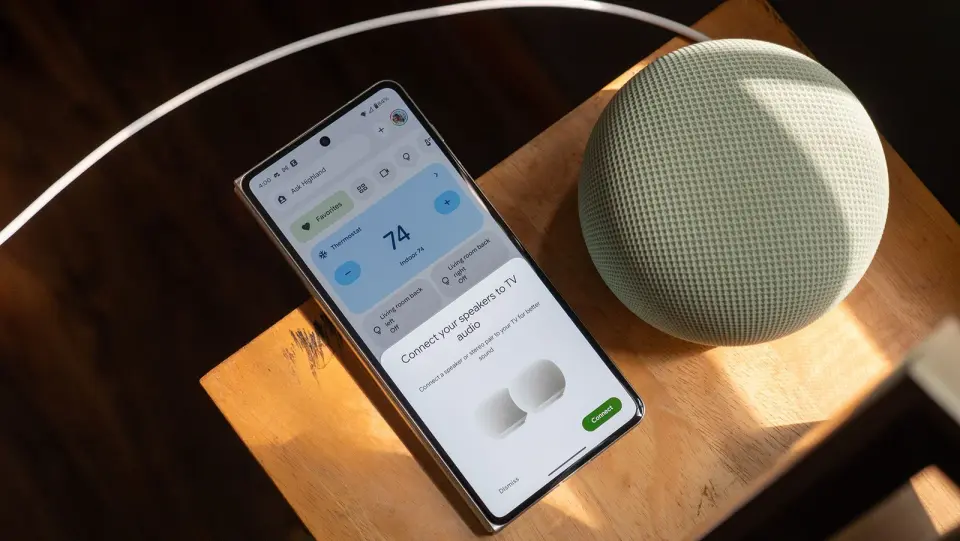
Google now lets you pair two Google Home Speakers with a Google TV Streamer to add surround-sound-like audio to your TV with minimal setup. The guide walks you through connecting via Quick Settings (Home > Quick Settings > Audio output > Connect another device; select Google speakers; Next) so both speakers appear in Remotes & Accessories and are used automatically when the TV is on. While this provides stereo and virtual surround, it's not true multi-channel surround since there’s no dedicated subwoofer. It's a space-saving, wires-free option and also covers using a single speaker under the TV, pairing older Nest/Home devices via Bluetooth, and a latency fix in Settings > Remotes & Accessories > Google speakers > Audio video sync. Overall, it's a simple upgrade for better TV audio with caveats on bass and latency.
- You can upgrade your TV's sound quality with the new Google Home Speaker surround sound option. Here's how Android Central
- Google built a great smart speaker, but Gemini isn’t ready for it The Verge
- Google Home Speaker (2026) vs. Nest Mini: Taller or smaller? Android Central
- What should a 'Google Home Display' be now that Google Home Speaker has set the stage? 9to5Google
- After the failed launch of the Google Home Speaker, here’s what needs to happen for the company to be taken seriously in the smart home space Trusted Reviews
Want the full story? Read the original reporting
Read on Android Central