
"Maximizing iPhone Call Quality: Hidden Features and Tips"
TL;DR
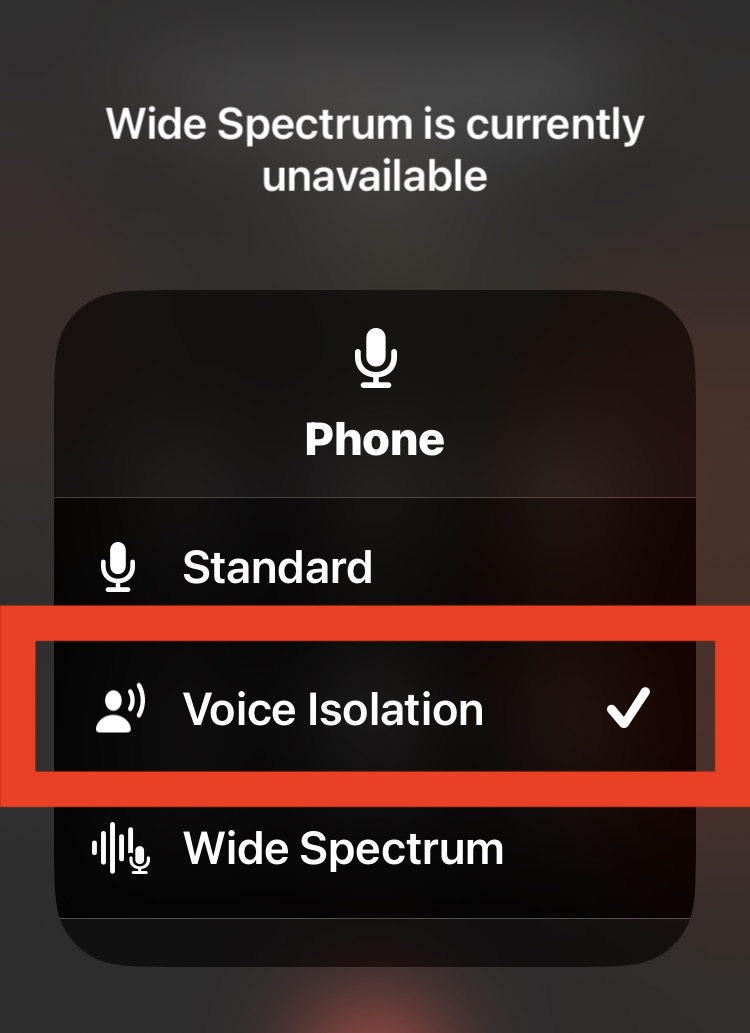
Apple has introduced a new feature called Voice Isolation to iPhone cellular calls that prioritizes the sound of the user's voice over other sounds in the surrounding environment. To enable this feature, users must be on an active cellular phone call and swipe down from the top right corner to open Control Center on iPhone, then tap on the Mic Mode button and choose "Voice Isolation" from the available options. This feature is available on iOS 16.4 or newer and can help to improve the clarity of voice communication on iPhone calls and reduce other sound distractions from the environment.
- How to Enable Voice Isolation on iPhone Cell Phone Calls OSXDaily
- Here's how to instantly improve your iPhone call quality TechRadar
- People are just finding hidden iPhone ‘boost button’ – it upgrades your phone for free and millions are eli... The US Sun
- Best iOS 16.4 features iPhone users must try; Voice Isolation, Pay Later and more HT Tech
- 5 useful iOS 16.4 features you should try right away Tom's Guide
Want the full story? Read the original reporting
Read on OSXDaily