Tag

Cpu Benchmarks

All articles tagged with #cpu benchmarks

technology1 month ago

Ryzen 9 9950X3D2 Dual Edition Delivers Notable HPC and Dev Gains

Phoronix’s complementary analysis finds the Ryzen 9 9950X3D2 Dual Edition delivering meaningful gains across developer- and HPC-focused workloads on AM5: the geo-mean across 300+ benchmarks is about 10% faster than the 9950X/9950X3D, code compilation is ~7% quicker, HPC performance is around 12% faster overall with some workloads seeing larger gains (e.g., Fortran/CFD suites), and chess engines are about 23% faster (LCzero/Stockfish). At $899 it offers strong value for CI/CD, open‑source, and HPC workloads on an AM5 platform, though AVX-512-heavy tasks still favor the Ryzen 9 9000-series and competing options. An interactive benchmark viewer is provided for deeper analysis.

Ryzen X3D Face-Off: Nine AMD CPUs Benchmarked Across 14 Games
technology1 month ago

Ryzen X3D Face-Off: Nine AMD CPUs Benchmarked Across 14 Games

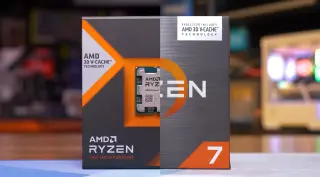
TechSpot benchmarks nine Ryzen 5/7 X3D CPUs (5800X3D through 9800X3D) across 14 games at 1080p to compare Zen 3 and Zen 4 X3D variants on AM4/AM5. Results show large, game‑dependent gaps driven by IPC, clock speed, and memory bandwidth, with DDR5 offering limited gains for cache-heavy X3D parts. On average the 7500X3D is about 8–9% faster than the 5800X3D, the 7800X3D about 20–24% faster, and the 9800X3D roughly 30–37% faster than the 5800X3D, while the 7600X3D is now discontinued. The study highlights that the 7800X3D is the most significant gaming upgrade since the 5800X3D, and not all X3D upgrades are created equal.

Windows 11 23H2 Update: Performance Loss, Trusty Defender, and Copilot Delay
technology2 years ago

Windows 11 23H2 Update: Performance Loss, Trusty Defender, and Copilot Delay

Users have reported experiencing performance losses and issues with games after upgrading to Windows 11 23H2. Reddit and Microsoft forum threads highlight CPU performance degradation, random stuttering, frame drops, and texture loading issues. Resetting the Windows Security app and enabling CPU virtualization in BIOS, along with enabling Memory Integrity under Core Isolation settings, seems to resolve the performance problems for some users. Further investigation is needed to determine the root cause of these issues.