
Microsoft Overhauls Windows 11 Context Menus for Speed and Customization
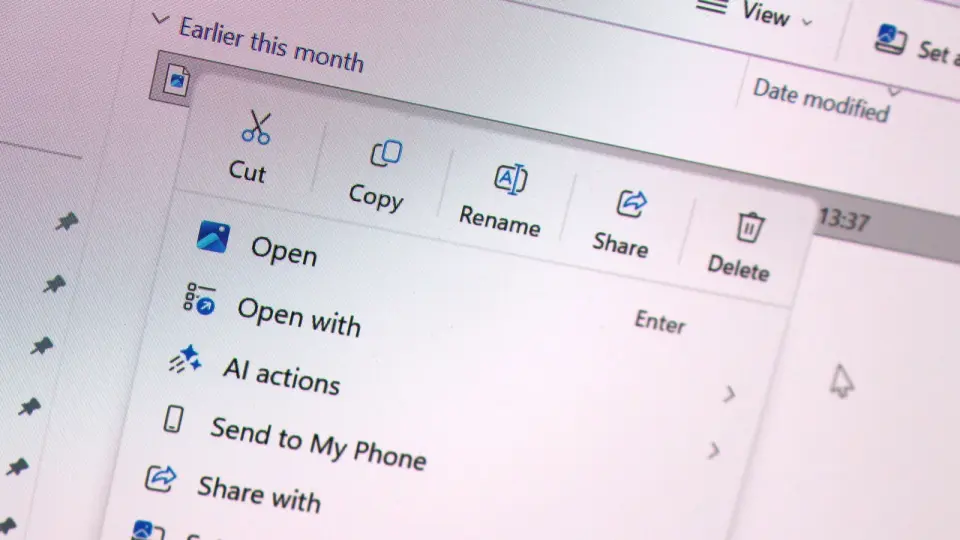
Microsoft has officially announced a major redesign of the Windows 11 context menu, addressing long-standing complaints about clutter and slow performance. The new system, now rolling out to Windows Insiders, features a streamlined default layout, a new 'Customize menu' option in Settings, and the ability to restore Windows 10-style vertical command lists. Microsoft acknowledges the previous menu was 'cluttered and sluggish' and aims to reduce the time between right-clicking and menu appearance. This update is part of a broader effort to improve File Explorer reliability, including fewer freezes and faster navigation, with more refinements planned based on user feedback.
Key points
- Microsoft confirmed the redesign of the Windows 11 context menu, which is now available in preview builds for Windows Insiders.
- The new menu reduces top-level clutter and improves response time, addressing Microsoft's admission that the previous version was 'cluttered and sluggish.'
- Users can now customize the menu via a new Settings page, allowing them to toggle built-in commands and hide third-party app extensions.
- The update includes an option to restore the Windows 10 vertical layout for primary actions like Cut, Copy, and Paste, catering to user muscle memory.
- File Explorer performance has also improved, with fewer freezes, faster launches, and better handling of file renames and navigation.
Background
This development follows earlier reports in August 2026 that Microsoft was planning customizable context menus as part of its broader Windows 11 quality improvements. The changes align with Microsoft's 'Windows K2' initiative, which aims to enhance performance and reduce user friction across the operating system. Previous updates included smarter Windows Update batching and reduced AI prompts, setting the stage for this focus on foundational UI elements like File Explorer.
How outlets are covering it
Windows Central and the Windows Blog both emphasize the speed and customization improvements, with Windows Central highlighting the hands-on confirmation of the faster response time. The Windows Blog provides deeper technical context, noting that the clutter was partly due to third-party apps adding options, which slowed down the menu. Thurrott.com focuses on the rollout mechanics, detailing the specific Insider builds (e.g., Beta 26220.9202) and framing the update as part of a series of five new builds. While all sources agree on the positive nature of the changes, the Windows Blog stresses the broader File Explorer reliability improvements, whereas Windows Central and Thurrott concentrate more on the context menu specifics.
Why it matters
The context menu is a fundamental interaction in Windows, and its previous sluggishness was a frequent source of user frustration. By making the menu faster and customizable, Microsoft addresses a core usability issue, potentially improving productivity for millions of daily users. The ability to hide unwanted third-party extensions also enhances system stability and user control, reflecting Microsoft's broader strategy to make Windows 11 more responsive and less intrusive.
What to watch
Microsoft plans to continue refining the context menu and File Explorer based on feedback from Windows Insiders. Additional updates are expected as part of the ongoing effort to modernize File Explorer, with more improvements to be announced in the coming months. The company has committed to consistent monthly improvements, suggesting that further performance and usability enhancements will follow.
- Microsoft admits Windows 11 context menus are sluggish, announces major improvements Windows Central
- Improving File Explorer & Context Menu: faster, simpler, and more customizable Windows Blog
- Microsoft Ships Five New Insider Builds With a Major File Explorer Update Thurrott.com
- New Windows 11 build brings redesigned context menu to Insiders Neowin
- Files 4.2.7 update speeds up right-click menu, adds middle-click tabs BetaNews
Want the full story? Read the original reporting
Read on Windows Central