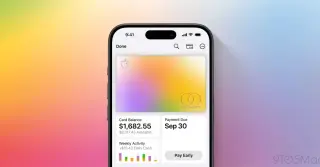
Apple’s iOS 27 beta adds Insights to Wallet, aggregating data from saved payment accounts to show spending trends, recurring transactions, and account balances. The feature, first seen in beta 1 overseas and now in beta 2 in the US, is accessed via the Wallet menu’s three-dot icon and aims to make Wallet’s data more actionable by visualizing spending similarly to Health’s insights.
iOS 27 introduces the ability to import physical passes—like loyalty or membership cards and event tickets—into Apple Wallet. Users can use Siri-mode in the Camera app or Wallet itself to create and store a pass, which can then be presented as a barcode or QR code from iPhone or Apple Watch, reducing the need to carry physical cards.
iOS 27 will extend Apple Wallet’s MagicMobile beyond park tickets to display and auto-update your travel itineraries and reservations, syncing with My Disney Experience without changing how you use the app; Forbes expects the update around September 14, 2026.
Starting with iOS 27, Apple Wallet will offer dynamically updated digital keys for participating hotels, with Disney World planning to support the enhanced feature by the iOS 27 rollout. You can already add Disney World tickets to Wallet via the My Disney Experience app, and the upgraded passes will show day-of details like park reservations, Lightning Lane selections, special events, and dining reservations, updating automatically throughout the day. The My Disney Experience app remains required for making bookings, and Resorts World Las Vegas also plans to offer enhanced Wallet keys with iOS 27.
iOS 27 introduces a redesigned Apple Pay checkout experience for apps and websites, letting users swipe between cards on the main interface and view all available Apple Pay cards in a grid within Apple Wallet, with key details like rewards and balances to help pick the right card before checkout.
iOS 27 adds 12 features across Maps, Find My, Wallet, Pay, Podcasts, Photos and Music, including an AI-powered Siri, AI-enhanced Flyover with Local Lists in Maps, flexible location sharing in Find My, bill splitting with Apple Cash, custom passes and smarter digital keys in Wallet, redesigned checkout in Apple Pay, Tap to Share for exchanging details with small-business iPhones, search within show in Podcasts, cross‑platform Shared Albums in Photos, AutoMix improvements in Apple Music, and expanded Lyrics Translation; the update is in developer beta with public beta in July and a September release window.
Texas lawmakers require age verification for new Apple Accounts created in Texas on or after June 4, 2026, making Apple Wallet’s Digital ID a key method to prove you’re 18+. You can create Digital ID in Wallet (Driver’s License/ID, then Digital ID with a US passport). Digital ID is already used at TSA checkpoints in some regions, and if similar laws spread, it could become a privacy-friendly nationwide age-verification option.
Apple has expanded its Wallet-based Digital ID so it can be used to confirm users are adults for Apple Accounts and services, in addition to its existing TSA airport use. Digital ID can be created with a US passport on iPhone or Apple Watch and is now an official age-verification method for select Apple activities, with broader adoption expected as more use cases roll out.
Apple's iOS 27 adds a 'Create a Pass' option in Wallet, letting users generate digital passes from scanned tickets or membership/gift-card information or create a custom pass when no QR code is available, with three color-coded types (purple for events, blue for memberships, orange for other) and full customization of images, colors, and text ahead of WWDC.
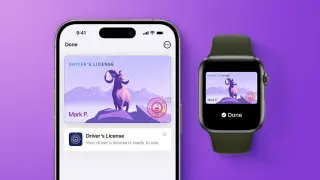
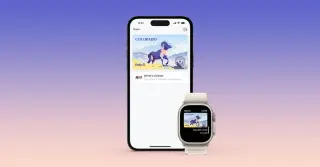
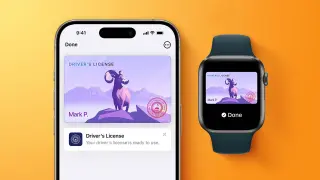
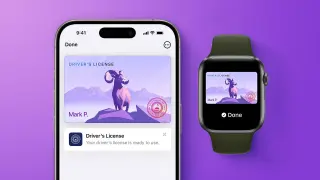
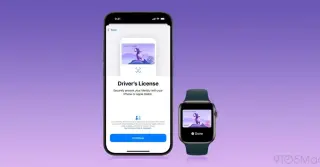
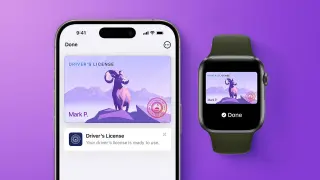
Wallet-based driver’s licenses are currently available in 13 states plus Puerto Rico, with seven additional states signed on for future adoption. Users can add licenses to Wallet for TSA checkpoints and select venues, and a Digital Passport option exists for domestic travel where Wallet IDs aren’t available. A physical ID is still often required, and the feature requires iOS 26.1 / watchOS 26.1 or later.
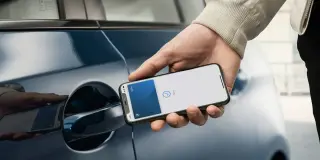
Toyota is expanding support for Apple Wallet car keys to select 2026 RAV4 trims in the U.S., enabling passive entry and starting the vehicle with an iPhone or Apple Watch via Ultra Wideband. The feature requires an iPhone 11 or newer (or Apple Watch Series 6+), and a Toyota Remote Connect subscription (from $15/month), with a free one-year trial included on new Toyotas.
Apple says seven more U.S. states will offer iPhone Wallet IDs for driver’s licenses, joining 13 states and Puerto Rico that already support the feature. Setup is in Wallet under Add → Driver’s License/ID, with current supported states listed (Arizona, Maryland, Colorado, Georgia, Ohio, Hawaii, California, Iowa, New Mexico, Montana, North Dakota, West Virginia, Illinois) plus Puerto Rico; seven future states—Connecticut, Kentucky, Mississippi, Oklahoma, Utah, Arkansas, Virginia—have signed on but without timelines. Wallet IDs are accepted at TSA checkpoints in over 250 airports, though they aren’t used by law enforcement and a physical ID remains advisable. A Digital Passport option allows presenting a digital passport-based ID at participating TSA checkpoints for domestic travel only, not international travel. The feature requires iOS 26.1 / watchOS 26.1 or later.
Apple Wallet's iOS 26 now supports boarding passes from Southwest, United, and Delta, with additional airlines like Air Canada and Qantas expected to follow, enhancing travel convenience with features like Live Activities, airport maps, and luggage tracking.
Apple has launched Digital ID, allowing users to create and present a secure digital version of their U.S. passport in Apple Wallet, initially available in beta at over 250 airports for domestic travel, with plans to expand its use for identity verification in various settings. The feature emphasizes privacy and security, using biometric authentication and encryption, and is part of Apple's broader efforts to enhance digital identity management.
Apple has launched its driver's license feature in the Apple Wallet app in another U.S. state, allowing users to store and use their driver's license digitally on their iPhone.