Tag

Kb5089573

All articles tagged with #kb5089573

Microsoft patches Windows 11 update failures by addressing ESP space issue
technology1 month ago

Microsoft patches Windows 11 update failures by addressing ESP space issue

Microsoft says Windows 11 update failures are caused by insufficient ESP (EFI System Partition) space and has released an optional fix KB5089573 to prevent ESP-space from blocking updates; install it if May 2026 updates failed, or wait for the next Patch Tuesday (June 9) when the fix will be included in future updates. Do not manually resize ESP unless you know what you’re doing, as ESP space can grow from OEM BIOS updates; you can check ESP space with a PowerShell command.

Windows 11 ESP Space Issue Resolved With KB5089573 Update
technology1 month ago

Windows 11 ESP Space Issue Resolved With KB5089573 Update

Microsoft releases KB5089573 to fix Windows 11 25H2/24H2 Patch Tuesday install failures caused by limited EFI System Partition space; the cumulative update upgrades builds to 26200.8524 and 26100.8524, includes a Servicing Stack Update and AI-related improvements, and is delivered via phased rollout with multiple installation methods (Settings, Update Catalog), with guidance on removal if necessary and no known issues reported.

Windows 11 gets a burst of speed with Low Latency Profile update
technology1 month ago

Windows 11 gets a burst of speed with Low Latency Profile update

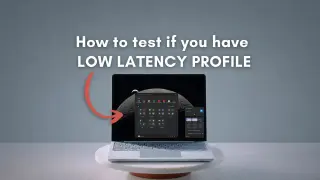
Microsoft is rolling out the Low Latency Profile (LLP) feature via KB5089573 to eligible Windows 11 24H2/25H2 devices, delivering short bursts of maximum CPU frequency for 1–3 seconds to speed up actions like opening Start, Search, flyouts, and app launches—promising up to 70% faster flyouts and 40% quicker launches. The rollout is controlled and may not enable automatically; you can install the update from Optional updates in Settings, or force-enable LLP with ViveTool (unofficial). LLP is part of the Windows K2 effort, with additional tweaks to Task Manager, Windows Hello, search, File Explorer, USB, and sign-in screens, and broader availability should arrive with the next Patch Tuesday security update.

Windows 11 Low Latency Profile: The Hidden CPU Boost Behind a Smoother Shell
technology1 month ago

Windows 11 Low Latency Profile: The Hidden CPU Boost Behind a Smoother Shell

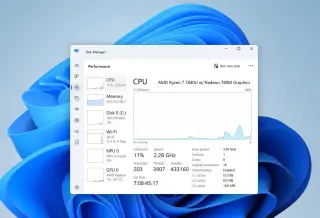
Microsoft began rolling out the May 2026 Windows 11 Optional Update (KB5089573), which quietly enables a Low Latency Profile that dynamically spikes CPU frequency to speed up Start, Windows Search, and Action Center. There’s no user toggle or notification, and the impact varies by hardware and whether CFR (Controlled Feature Rollout) has allowed your machine to receive it. You can verify with HWiNFO (Task Manager may miss micro spikes) and, if not yet active, force-enable via ViveTool. On faster PCs the benefit is subtle (often just smoother shell interactions), while on slower setups the boost aims to improve perceived responsiveness as Windows continues to optimize core shell code.

Windows 11 May 2026 preview update boosts performance and sign-in reliability
technology1 month ago

Windows 11 May 2026 preview update boosts performance and sign-in reliability

Microsoft released the May 2026 non-security preview update KB5089573 for Windows 11 25H2 and 24H2, delivering about 30 changes focused on performance and reliability—faster app launches, smoother Start/Search/Action Center experiences, and improved Windows Hello sign‑in behavior. The optional update can be installed via Windows Update or the Microsoft Update Catalog and upgrades affected devices to builds 26200.8524 (25H2) and 26100.8524 (24H2). Highlights include Shared Audio, improved VM CPU speed readings in Task Manager, better HID battery life and standby power hygiene, and updated Secure Boot certificates as part of a broader security refresh. A related server issue was noted for Windows Server 2016 after a different May 2026 security update.

technology1 month ago

Windows 11 gains a speed boost with Low Latency Profile in optional May update

Microsoft’s optional May update KB5089573 for Windows 11 adds a Low Latency Profile that briefly boosts CPU power to accelerate important tasks like app launches and Start menu flyouts. Independent tests report gains up to ~70% for flyouts and ~40% for launching apps. The update is in preview and can be installed manually via Settings > Windows Update > Optional updates or the Microsoft Update Catalog; rollout is gradual, with full deployment planned for Patch Tuesday in June 2026. The release also includes improvements to audio, Task Manager, and the Camera app.

Windows 11 Gets Short Bursts of CPU Boost to Speed Core App Launches
technology1 month ago

Windows 11 Gets Short Bursts of CPU Boost to Speed Core App Launches

Microsoft is rolling out a Low Latency Profile (LLP) as part of the Windows 11 KB5089573 update (Build 26200.8524). Delivered via a Controlled Feature Rollout, LLP briefly maxes the CPU for 1–3 seconds to speed the launch of core in-box apps like Edge and Outlook (claimed ~40% faster) and may improve Start Menu/context menus by up to ~70%. Non-native apps rely on their own optimizations. Activation is staggered and may not be noticeable immediately, with potential slight temp increases during light tasks.

Windows 11 May update promises faster, more responsive PCs via Low Latency Profile
technology1 month ago

Windows 11 May update promises faster, more responsive PCs via Low Latency Profile

Microsoft’s Windows 11 KB5089573 May preview update is now generally available as an optional upgrade focused on performance and reliability. It introduces a Low Latency Profile that temporarily boosts CPU frequency to speed up actions like app launches and shell flyouts (Start, Search, etc.), and it includes reliability improvements on sign-in, lock screens, File Explorer, touch gestures, and theme changes. New features also aim to enhance usability, such as naming your device during setup and improved Task Manager behavior, plus Bluetooth sharing with two devices. The rollout is gradual, and users may not notice improvements immediately. To get it, go to Windows Settings > Windows Update > Optional updates and install KB5089573, ensuring you have the option enabled to get latest updates as soon as they’re available.