
Tag

Kb5101684

All articles tagged with #kb5101684

Nadella pledges Windows 11 quality overhaul as KB5101684 rolls out 42 fixes
technology3 months ago

Nadella pledges Windows 11 quality overhaul as KB5101684 rolls out 42 fixes

Microsoft CEO Satya Nadella confirmed during the Q4 FY2026 earnings call that the company is investing to ensure Windows 11 has the 'best quality and fundamentals.' This statement follows a difficult 2025 for the OS and coincides with the release of the July 2026 optional update, KB5101684, which includes 42 bug fixes and new features. Key improvements include external fingerprint reader support for Windows Hello, better file size displays in File Explorer, and Voice Isolation for Voice Access. While the Personal Computing segment saw revenue declines, Microsoft is prioritizing stability and performance to win back users, with many fixes already reaching stable channels.
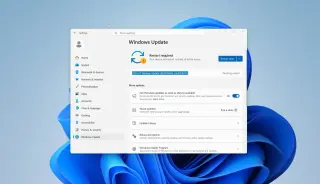
Windows 11 July Preview Update KB5101684 Delivers 42 Fixes and New Voice Isolation Feature
technology3 months ago

Windows 11 July Preview Update KB5101684 Delivers 42 Fixes and New Voice Isolation Feature

Microsoft released the optional July 2026 preview update KB5101684 for Windows 11 24H2 and 25H2, introducing 42 bug fixes and feature improvements ahead of the August Patch Tuesday. Key additions include Voice Isolation for Voice Access, expanded Windows Hello support for external fingerprint readers, and improved File Explorer navigation. The update also addresses critical issues such as false credential errors in File History backups and noncompliance states for newly enrolled MDM devices.

Windows 11 July Optional Update Delivers Performance Fixes and Search Improvements
technology3 months ago

Windows 11 July Optional Update Delivers Performance Fixes and Search Improvements

Microsoft released Windows 11 KB5101684 on July 29, 2026, as an optional 'D' release. This update, labeled the 2026-07 Preview Update, focuses on performance and reliability rather than major new features. It improves Windows Search accuracy for typos, fixes Start menu stability issues, and enhances File Explorer file size display. The update is available via Windows Update or offline installers, with sizes ranging from 4.9GB to 5.3GB depending on architecture. It does not install automatically unless the 'Get the latest updates' toggle is enabled.