
Third-party app unlocks Pixel 11 Pro's restricted HiLight LED
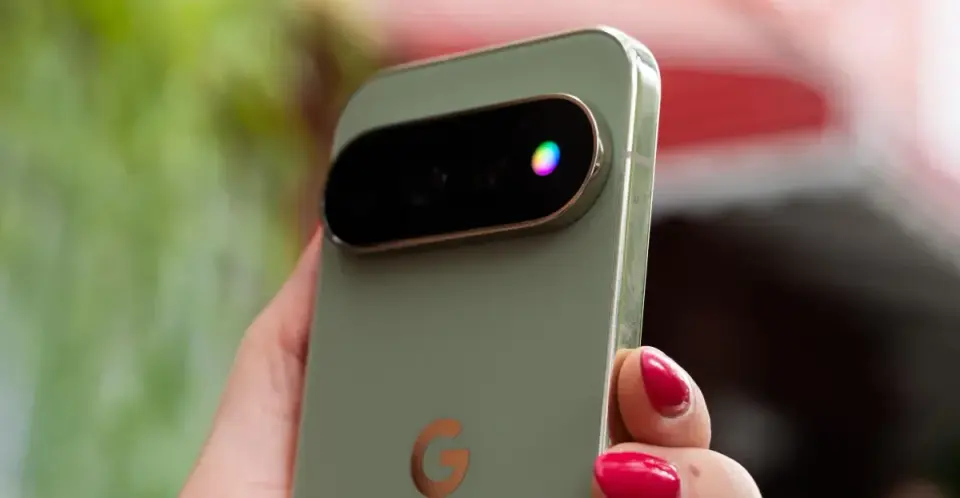
Google's Pixel 11 Pro HiLight LED is limited to Gemini and favorite calls, but the open-source HiLight Studio app enables custom colors, patterns, and app-specific notifications via sideloading.
Key points
- Google's native HiLight feature on the Pixel 11 Pro only activates for Gemini interactions or calls from favorite contacts, using five fixed colors.
- Developer Dhananjay Bhosale created HiLight Studio, an open-source app that allows users to trigger the LED for any app notification or open state.
- The app offers six animation patterns (Rainbow, Comet, Pulse, Breathe, Wave, Random) and full control over color, brightness, and intensity.
- Installation requires sideloading the APK from GitHub and using Shizuku for wireless debugging to grant necessary permissions.
- Built-in safety limits prevent overheating by auto-dimming after 10 seconds and capping total LED usage to 5 minutes per 10-minute window.
Background
The Pixel 11 Pro launched with the HiLight LED system, which was previously leaked as 'Glow.' Earlier coverage noted that while the hardware was promising, Google's initial software implementation was widely criticized for being overly restrictive compared to legacy Android notification LEDs. The Pixel 11 Pro also features the Tensor G6 chip and Android 17, but software limitations like HiLight's minimal functionality have been a point of contention since launch.
How outlets are covering it
The Verge and Android Authority both agree that Google's native HiLight implementation is a 'wasted opportunity' and heavily restricted. The Verge emphasizes the app's ability to create complex rainbow effects and import/export presets, framing it as a solution to Google's inaction. Android Authority provides more technical detail on the setup process, noting that while the app is 'vibe-coded' with AI, it requires significant effort to install via Shizuku and wireless debugging. Android Authority also highlights the app's safety features, such as automatic dimming and quiet hours, which The Verge mentions less prominently. Both outlets acknowledge the app is not yet on the Play Store and requires developer-level permissions.
Why it matters
This development highlights a growing trend of third-party developers filling gaps in major tech companies' software ecosystems. It demonstrates that hardware capabilities can be significantly enhanced through open-source community efforts, even when official support is lacking. For Pixel 11 Pro users, it offers a practical way to restore a beloved feature from older Android phones, improving usability without waiting for a potential Google update.
What to watch
Google may consider expanding HiLight functionality in future Android updates in response to community demand and third-party solutions. The developer has stated the app will remain open-source and ad-free, suggesting continued updates and potential feature additions. Users may also see more community-created presets and integrations as the app gains traction.
- This app makes the Pixel 11’s HiLight feature actually useful The Verge
- Someone already figured out how to fully control Pixel 11 Pro's 'HiLight' and make it useful [Gallery] 9to5Google
- This app does with Pixel 11 Pro's HiLight what Google should have done in the first place Android Authority
- Someone already fixed the Pixel 11's most disappointing feature How-To Geek
- Google wants you to use its phones less - but I'm skeptical Yahoo Tech
Want the full story? Read the original reporting
Read on The Verge