
Microsoft Replaces Copilot Taskbar Feature with New WinUI 3 Search
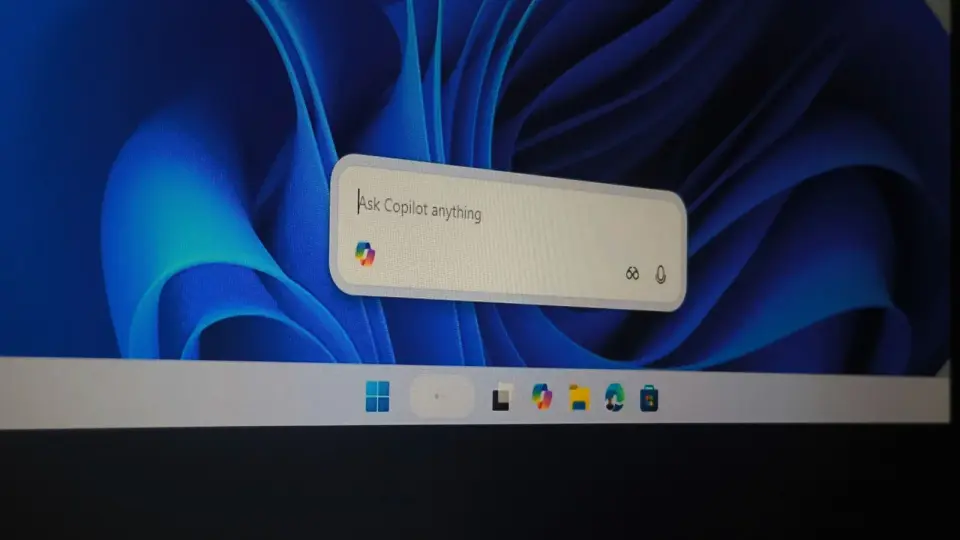
Microsoft has temporarily disabled the 'Ask Copilot' taskbar feature to integrate feedback and accommodate a new, streamlined Windows Search experience. The updated search, built on WinUI 3, focuses on speed and direct actions rather than AI chat. It rolls out to Windows Insiders on October 7, 2026, while the Copilot app undergoes a major redesign.
Key points
- Microsoft disabled 'Ask Copilot' on the Windows 11 taskbar in August 2026 to incorporate user feedback and update the experience.
- A new Windows Search experience, built on WinUI 3, began rolling out to Windows Insiders on October 7, 2026.
- The new search interface features a single-list design, improved typo matching, and inline actions for system settings like dark mode and Bluetooth.
- Microsoft is unifying commercial and consumer Copilot into a single 'super app' with features like Chat, Cowork, and Code.
- The pause in Ask Copilot coincides with the launch of the new Copilot app and the introduction of 'Hybrid Intelligence' for local AI processing.
Background
Microsoft had been testing 'Ask Copilot' since October 2025, initially as an opt-in feature for Windows Insiders. By December 2025, it included commercial Microsoft 365 Copilot licenses and agents. In March 2026, Windows boss Pavan Davuluri promised to reduce unnecessary Copilot entry points, leading to the removal of Copilot buttons from apps like Snipping Tool and Photos. The mid-2026 promise for Ask Copilot was aimed at businesses, while regular users continued to use the preview version.
How outlets are covering it
Windows Latest notes that Microsoft paused Ask Copilot to 'incorporate feedback' and update the experience, suggesting user backlash may have played a role. Windows Blog emphasizes the new search's focus on speed, efficiency, and a streamlined single-list design, highlighting improvements in performance and memory usage. The Verge praises the new search as a necessary overhaul for Windows 11, noting its speed and decluttered feel. Engadget frames the new search as a chatbot-like interface that allows users to perform actions via short commands, highlighting the integration of AI into everyday tasks.
Why it matters
The shift from a Copilot-centric taskbar to a streamlined, action-oriented search reflects Microsoft's response to user feedback and the need to balance AI integration with usability. The new search experience aims to reduce friction and improve efficiency, while the unified Copilot app and Hybrid Intelligence tools signal a broader strategy to integrate AI into Windows more seamlessly and securely.
What to watch
Microsoft will continue to refine the new Windows Search experience based on feedback from Windows Insiders. The company plans to expand the search experience to the Start menu and adapt it to different taskbar positions. The unified Copilot app and Hybrid Intelligence tools will roll out over the coming months, with features like local AI processing and secure sandboxing for AI agents.
- “Nobody wants Copilot”: Microsoft pauses Copilot on Windows 11’s taskbar to “incorporate your feedback," as Microslop backlash continues Windows Latest
- From searching to doing: Building a faster, more streamlined Windows Search Windows Blog
- Microsoft’s new Windows Search is exactly what Windows 11 needs The Verge
- Microsoft May Have Finally Fixed Windows Search By Turning It Into A Chatbot Engadget
- Microsoft Rebuilds Windows 11 Search, Adds Typed Commands and Inline Copilot TechPowerUp
Want the full story? Read the original reporting
Read on Windows Latest