Microsoft's Windows 11 KB5089549 patch is designed to fix taskbar freezing and blank desktop issues by improving explorer.exe reliability and startup performance, but some users can't install it due to error 0x800f0922; on systems where it installs, users report smoother log-in, faster app launches, and a more responsive taskbar.
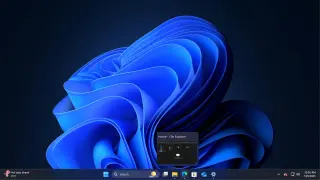
Microsoft's May 2026 Update for Windows 11 (KB5089549) patches reliability issues in explorer.exe that caused taskbar freezes, unresponsive right-clicks, sign-in delays, and non-responsive Task View, and also improves startup-app launch timing and system-tray performance; changes may not show up for all devices immediately.
Microsoft confirms the May 2026 Windows 11 security update KB5089549 may fail to install on devices with very little free space on the EFI System Partition, typically rolling back at 35–36% with 0x800f0922 errors. Known Issue Rollback is recommended as a workaround, and IT admins can apply a Group Policy-based mitigation in enterprise environments while Microsoft works on a fix.
Microsoft says the May 2026 Windows 11 update KB5089549 can fail to install when the EFI System Partition runs low on space, triggering errors such as 0x800f0922. An emergency server-side patch is rolling out, and Known Issue Rollback mitigates the issue; a few reboots may help apply the fix. The ESP is typically around 100MB, but firmware bloat or multiple OS installs can exhaust it, possibly causing install loops. Some users also report missing taskbar animations and extra reboots due to Secure Boot updates.
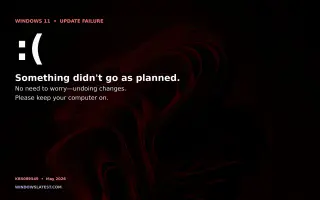
Microsoft’s May 2026 Patch Tuesday update for Windows 11 (KB5089549) is reportedly failing to install on some devices and, for a smaller subset, slowing internet speeds after installation. Affected systems may rollback automatically with an “Something didn’t go as planned. Undoing changes.” message, but Microsoft hasn’t publicly acknowledged the issue and there are no known issues listed on the health dashboard yet. Troubleshooting steps include retrying the update, clearing the SoftwareDistribution cache, running the Windows Update troubleshooter, and unplugging nonessential peripherals; for internet slowdowns, restarting the network adapter or updating drivers may help. If the update continues to fail, the recommended course is to wait for the next cumulative update.
Microsoft has fixed the BitLocker recovery prompt issue that appeared after the April 2026 security update for Windows 11 25H2 with KB5089549, while Windows 10 and Windows Server still await a permanent fix. Administrators should remove the unrecommended TPM validation Group Policy and ensure BitLocker uses PCR7 bindings until broader patches are released.