Tag

Bitlocker

All articles tagged with #bitlocker

Microsoft Unveils Mitigations for Windows YellowKey Zero-Day
security5 days ago

Microsoft Unveils Mitigations for Windows YellowKey Zero-Day

Microsoft released mitigations for the YellowKey Windows BitLocker zero-day (CVE-2026-45585) after a PoC disclosure by Nightmare Eclipse, detailing steps to prevent exploitation—removing the autofstx.exe entry from the Session Manager BootExecute to stop FsTx replay, reestablishing BitLocker trust for WinRE, and enforcing TPM+PIN startup or a startup PIN with TPM on devices (via PowerShell, Intune, or Group Policy)—to block attacks until a patch is available.

YellowKey sparks backdoor debate as BitLocker bypass claim surfaces
technology10 days ago

YellowKey sparks backdoor debate as BitLocker bypass claim surfaces

A security researcher known as Nightmare-Eclipse released YellowKey, a vulnerability they say can bypass BitLocker full-disk encryption, reportedly enabling unrestricted access to protected volumes after copying an FsTx folder to a USB drive or the EFI partition and rebooting into Windows Recovery Environment. The researcher alleges this points to an intentional backdoor in a WinRE component present in Windows 11 and some Server 2022/2025 images (Windows 10 allegedly unaffected), and also introduced a second exploit, GreenPlasma, for privilege escalation. Some third-party researchers reportedly corroborate aspects of YellowKey in public GitHub materials, though full PoC details were not published and Microsoft has not publicly commented. Mitigation suggestions include not relying on a single encryption system and considering alternatives like VeraCrypt. Further details are expected around Patch Tuesday.

New BitLocker Zero-Days Bypass Encryption and Escalate Privileges on Windows
cyber-security10 days ago

New BitLocker Zero-Days Bypass Encryption and Escalate Privileges on Windows

Two new unpatched Windows BitLocker zero-days—YellowKey (encryption bypass) and GreenPlasma (privilege escalation)—were disclosed after Patch Tuesday, leaving Windows 11 and Windows Server 2022/2025 exposed. YellowKey exploits the Windows Recovery Environment to bypass full-disk encryption, granting attackers full access to the system drive with physical access; GreenPlasma could enable unauthorized commands via arbitrary memory-section creation, enabling persistence and potential kernel-level access. There is no official patch yet; mitigations include enabling a BitLocker PIN, enforcing robust BIOS passwords, guarding WinRE against tampering, and restricting physical access until Microsoft releases fixes. Windows 10 is not affected.

Microsoft patches BitLocker recovery glitch on Windows 11 25H2 after April 2026 updates
technology11 days ago

Microsoft patches BitLocker recovery glitch on Windows 11 25H2 after April 2026 updates

Microsoft has fixed the BitLocker recovery prompt issue that appeared after the April 2026 security update for Windows 11 25H2 with KB5089549, while Windows 10 and Windows Server still await a permanent fix. Administrators should remove the unrecommended TPM validation Group Policy and ensure BitLocker uses PCR7 bindings until broader patches are released.

Zero-Day Bypass Lets Attackers Crack Windows 11 BitLocker TPM in Seconds
technology12 days ago

Zero-Day Bypass Lets Attackers Crack Windows 11 BitLocker TPM in Seconds

A zero-day named YellowKey bypasses Windows 11’s default TPM-only BitLocker protection by exploiting a crafted FsTx/Transactional NTFS folder on a USB drive, enabling a CMD prompt and full drive access during Windows Recovery without needing the BitLocker key. Microsoft is investigating. The flaw highlights that TPM-only BitLocker may be insufficient security, with experts recommending BIOS passwords and PINs in addition to TPM protections.

New Windows Zero-Days Target WinRE BitLocker Bypass and SYSTEM Privilege Escalation
security12 days ago

New Windows Zero-Days Target WinRE BitLocker Bypass and SYSTEM Privilege Escalation

Researchers Chaotic Eclipse and Nightmare-Eclipse disclosed two Windows zero-days: YellowKey, a BitLocker bypass in Windows Recovery Environment via specially crafted FsTx files on USB or the EFI partition, and GreenPlasma, a privilege-escalation flaw tied to Windows CTFMON that could let an unprivileged user create arbitrary memory sections and potentially control privileged services. A separate BitLocker downgrade chain described by Intrinsec (CVE-2025-48804) could defeat encryption on fully patched systems with physical access by boot-image tampering. Mitigations include enabling BitLocker startup PIN, migrating the boot manager to CA 2023 certificates, and revoking PCA 2011 certificates as older certificates are retired; Microsoft notes coordinated vulnerability disclosure and upcoming Patch Tuesday updates in June 2026.

security12 days ago

Rogue researcher unleashes BitLocker bypass and SYSTEM-level Windows zero-days after Patch Tuesday

After Patch Tuesday, a rogue researcher released a third wave of Windows zero-days, including a BitLocker bypass dubbed 'Yellow key' and a privilege-escalation called 'GreenPlasma' that could grant SYSTEM-level access; the flaws affect Windows 11, Windows Server 2022, and Windows Server 2025, with Windows 10 reportedly unaffected. The exploits are publicly available on GitHub, and the researcher frames the disclosures as a backdoor-style challenge and warns of additional releases.

Chaotic Eclipse leaks PoCs for Windows BitLocker bypass and privilege escalation
technology12 days ago

Chaotic Eclipse leaks PoCs for Windows BitLocker bypass and privilege escalation

Cybersecurity researcher Chaotic Eclipse has released PoCs for two Windows zero-days, YellowKey (BitLocker bypass) and GreenPlasma (privilege escalation), linked to the Chaotic Eclipse/Nightmare Eclipse set. YellowKey exploits WinRE via specially crafted FsTx files to bypass BitLocker on Windows 11 and Server 2022/2025, potentially affecting TPM-only configurations; GreenPlasma could enable a SYSTEM-level shell, though its PoC is incomplete. The disclosures follow earlier flaws (BlueHammer, RedSun) and ongoing leaks, with Microsoft saying it is investigating and supporting coordinated disclosure as Patch Tuesday nears.

Windows 11 April 2026 patch may trigger BitLocker recovery at boot, with fixes available
technology1 month ago

Windows 11 April 2026 patch may trigger BitLocker recovery at boot, with fixes available

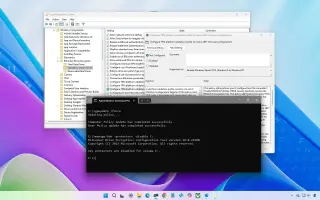
Microsoft’s April 2026 Windows 11 security update KB5083769 can cause a BitLocker recovery prompt on first restart for a small subset of devices with a specific TPM/PCR7/Secure Boot configuration. It is not widespread. If you hit it, enter the BitLocker recovery key to boot, then undo the “unrecommended” TPM validation by setting the policy Configure TPM platform validation profile for native UEFI firmware configurations to Not Configured and running gpupdate /force; you can also temporarily disable and re-enable BitLocker on the OS drive to rebind to the default PCR profile. Enterprises can use Known Issue Rollback if needed. Future restarts should proceed normally after the recovery.

Microsoft rolls out emergency fixes to stabilize Windows Server after April patches
technology1 month ago

Microsoft rolls out emergency fixes to stabilize Windows Server after April patches

Microsoft released emergency out-of-band updates to fix issues caused by April 2026 Windows Server patches, including installation failures on Windows Server 2025 (KB5091157) and LSASS-related domain controller restart loops across multiple server versions; additional KBs cover Windows Server 2025 23H2, 2022, 2019, 2016 and Azure Edition hotpatches. Some Server 2025 devices may boot to BitLocker recovery after KB5082063. Other emergency fixes in recent months addressed Bluetooth visibility, RRAS, and sign-in issues.

Windows 11 February preview adds Sysmon, network speed test, and BitLocker improvements
technology3 months ago

Windows 11 February preview adds Sysmon, network speed test, and BitLocker improvements

Microsoft released the Windows 11 KB5077241 optional preview with 29 changes: improved BitLocker reliability; built-in network speed test for Ethernet, Wi‑Fi, and cellular; native Sysmon support (off by default) and auto Quick Machine Recovery on eligible Pro devices; plus UI and reliability tweaks (faster wake from sleep, smarter taskbar overflow, WebP desktop backgrounds, and RSAT on Arm64). It’s a non-security preview that can be installed via Settings > Windows Update or the Microsoft Update Catalog.

Cloud-stored BitLocker keys can be handed to law enforcement
security3 months ago

Cloud-stored BitLocker keys can be handed to law enforcement

Microsoft has confirmed that BitLocker recovery keys backed up in the cloud can be provided to law enforcement under a valid legal order, a situation highlighted by a Guam FBI case. To reduce this risk, users should avoid cloud backups and instead store the recovery key locally—on a USB drive or as a printed copy—and remove any cloud-stored copies; the piece also explains how to check BitLocker settings and how to back up the key safely.