Tag

Windows Insider Program

All articles tagged with #windows insider program

Windows 11 Insiders get built-in feature flags to unlock experiments
technology1 day ago

Windows 11 Insiders get built-in feature flags to unlock experiments

Microsoft is simplifying the Windows 11 Insider experience by adding an Experimental Channel with a built-in Feature Flags page to enable announced features without third-party tools, while keeping CFR controls and a refreshed Beta channel; a new Future Platforms option and in-place upgrade make moving between testing rings easier, though some unannounced changes may still require ViVeTool.

Microsoft overhauls Windows Insider Program with an 'Experimental' channel and easier cross-channel upgrades
technology1 day ago

Microsoft overhauls Windows Insider Program with an 'Experimental' channel and easier cross-channel upgrades

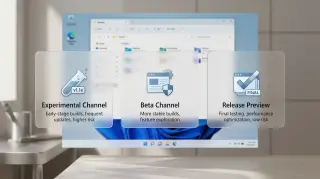
Microsoft announced a major overhaul of the Windows Insider beta system: Canary and Dev merge into a new 'Experimental' channel, while the Beta channel remains for a more stable, near‑shipping experience. The Release Preview channel stays but as an advanced, hidden option. Insiders can choose baseline Windows versions (26H1 for Arm and 25H2 for others) and even test early, non‑retail previews via a new Future Platforms option. CFR will be turned off for the Beta channel to reduce delays, and a Feature Flags page will let users enable individual features in Experimental. In-place upgrades will let users switch between channels without wiping the PC, preserving data as long as core versions stay the same. The changes, rolling out in the coming weeks, aim to reduce confusion and improve predictability, though the Insider maze remains.

technology1 year ago

Microsoft Revives Windows 10 Beta Program with New Features and Upgrade Path

Microsoft has reopened the Windows 10 beta channel for the first time since 2021, inviting Insiders to test new features for Windows 10, version 22H2. The company clarified that joining the Beta channel will not automatically upgrade devices to Windows 11, which remains optional. Users can switch to the Beta Channel via Settings and will receive new features gradually. Windows 10 will continue to receive security updates until October 2025.

"Get Windows 11's 24H2 Update Early: Insider Access Now Open"
technology1 year ago

"Get Windows 11's 24H2 Update Early: Insider Access Now Open"

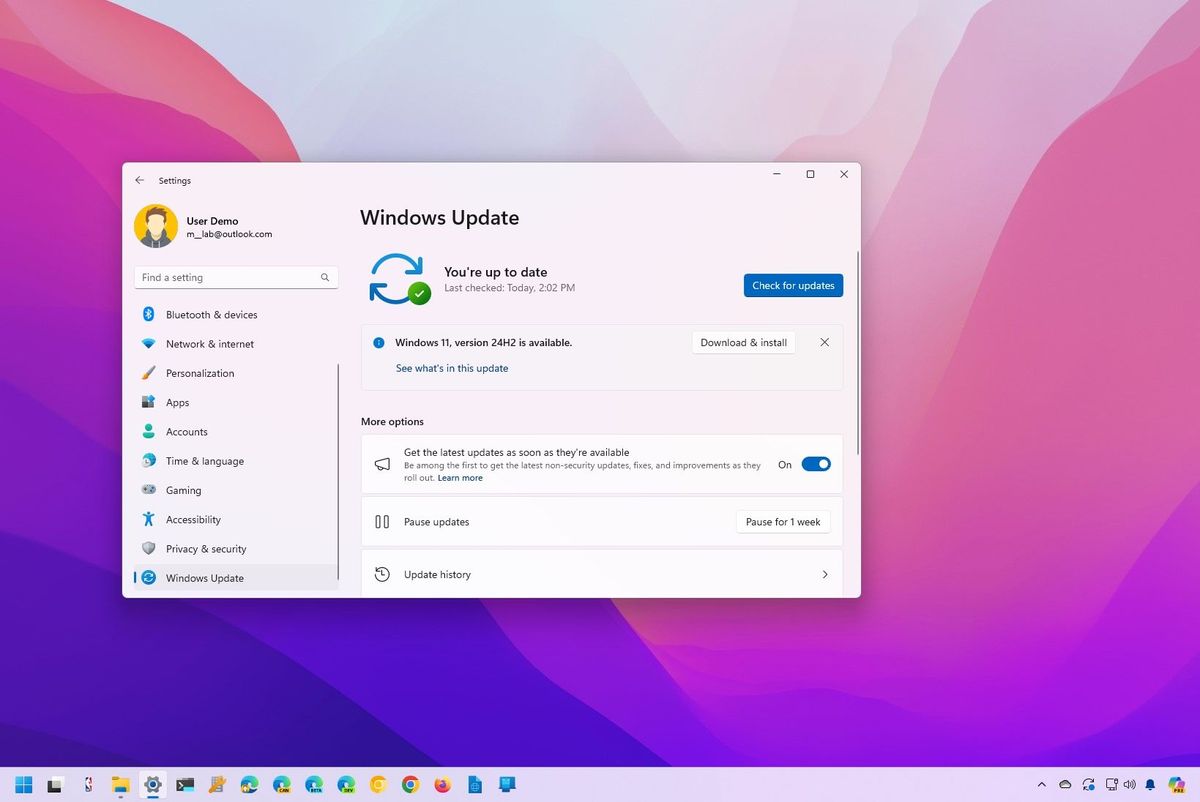
Microsoft has completed the development of Windows 11 version 24H2, and users can get early access to the update through the Windows Insider Program's Release Preview Channel. This guide outlines the steps to install the update and advises creating a backup before proceeding. It also explains how to opt out of the Insider Program once the final version is released.

"Get Windows 11 24H2 Early: New Features and Tools Unveiled"
technology1 year ago

"Get Windows 11 24H2 Early: New Features and Tools Unveiled"

Microsoft is releasing the Windows 11 24H2 update to its Release Preview ring, allowing users to install it early. The update includes HDR background support, energy saver mode, a built-in sudo command for developers, 7-zip and TAR archive creation in File Explorer, and AI-powered Voice Clarity. The update will be officially rolled out later this year, but can be accessed now through the Windows Insider Program.

"Windows Chief Urges Dev Team to Address Start Menu Glitch"
technology2 years ago

"Windows Chief Urges Dev Team to Address Start Menu Glitch"

Mikhail Parakhin, the head of Microsoft's Windows and Web Experiences team, has expressed his annoyance with the extra click required to view all apps in the Windows 11 Start menu and has committed to addressing this issue. His interaction with users on X (formerly Twitter) and his call to "make Start menu great again" suggest a broader improvement to the Start menu experience may be on the horizon. Additionally, there are speculations about upcoming Windows 11 updates, including a minor "Moment 5" feature update and a more significant OS update later in 2024.

Microsoft's Copilot: Now Available for Windows 10 Users
technology2 years ago

Microsoft's Copilot: Now Available for Windows 10 Users

Microsoft is rolling out its Copilot AI assistant to eligible non-managed systems enrolled in the Windows Insider program and running Windows 10 22H2 Home and Pro editions. Insiders in the Release Preview Channel can start testing Copilot, which can be accessed through the new Copilot icon on the Windows taskbar. However, not all Copilot features will be available on Windows 10 devices. The preview release is currently limited to select global markets, with additional markets joining gradually. Windows Copilot was first introduced with Windows 11 and is now enabled by default on Windows 11 23H2 devices.

Microsoft Paint Upgrades with Photoshop-Like Background Removal Tool
technology2 years ago

Microsoft Paint Upgrades with Photoshop-Like Background Removal Tool

Microsoft Paint is receiving a background removal tool similar to Photoshop, allowing users to easily isolate and remove the background of an image with a single click. The update is rolling out to Windows Insiders in the Canary and Dev Channels, and users can provide feedback on the new feature. While Photoshop's version of this tool has mixed results, Microsoft Paint's addition enhances its functionality for a streamlined editing experience, although further testing is needed to determine its effectiveness. Other apps like Canva and Adobe Express also offer one-click background removal.

"Windows Copilot: A First Look at Microsoft Edge in Windows 11"
technology2 years ago

"Windows Copilot: A First Look at Microsoft Edge in Windows 11"

Microsoft has released two new preview builds of Windows 11, including build 23493 and build 23486. Build 23493 introduces the first public preview of Windows Copilot, a new chatbot that connects with Bing Chat and third-party plugins to provide an AI experience on the desktop. It also includes native support for RAR and 7-Zip file formats, updates to the volume mixer in Quick Settings, improvements to the backup experience, and enhancements to Snap Layouts and the Settings app. Build 23486 brings improvements to the passkey experience, Dynamic Lighting effects, and other minor changes and improvements.