Tag

Start Menu

All articles tagged with #start menu

Windows 11 gains customizable taskbar and Start menu in Insider Preview
technology7 days ago

Windows 11 gains customizable taskbar and Start menu in Insider Preview

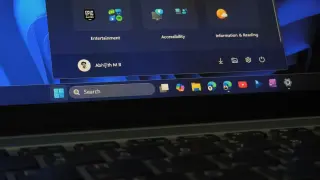
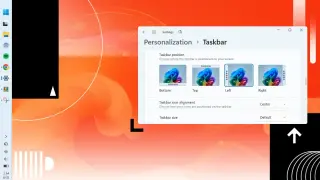
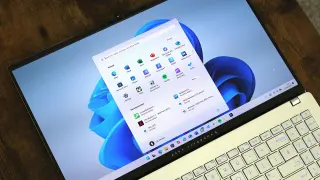
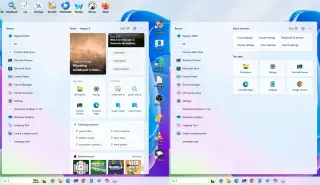
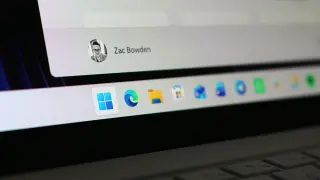
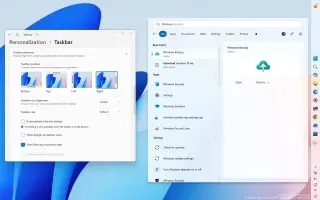
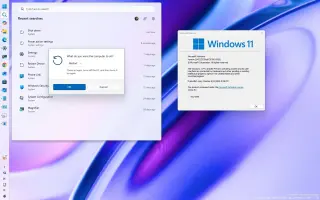
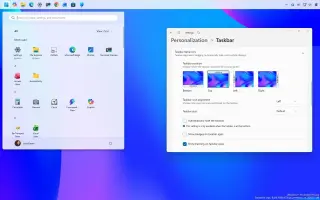
Microsoft is rolling out an Insider Preview (Build 26300.8493) that reinstates a resizable taskbar and configurable Start menu on Windows 11, letting users move the taskbar to the top or sides, enable smaller icons, and tailor Start menu content and size, while maintaining a list of recently installed apps; the company also teases a modern Run dialog and broader performance and UX improvements.

Windows 11 Gets Windows 10‑Style Taskbar and Start Menu Customization for Insiders
technology8 days ago

Windows 11 Gets Windows 10‑Style Taskbar and Start Menu Customization for Insiders

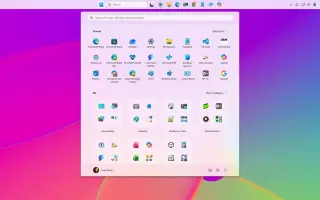
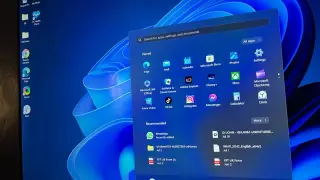
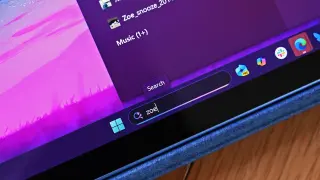
Microsoft is rolling out full Windows 11 taskbar and Start Menu customization to Windows Insider participants in the Experimental channel, allowing the Taskbar to be moved to top, bottom, left, or right with per-position alignment and smaller icons, plus a revamped Start Menu with adjustable sizes and toggleable sections (Pinned, Recent, All) and privacy options. Start’s file recommendations are now separated from File Explorer’s recent items, and the Recent area is renamed from Recommended. The updates are set to reach 24H2/25H2/26H1 users in coming weeks.

Windows 11 to get deeper personalization with new taskbar and Start menu controls
technology9 days ago

Windows 11 to get deeper personalization with new taskbar and Start menu controls

Microsoft says personalization is in Windows’ DNA and will roll out a wave of Windows 11 customization features this year, starting with a movable, smaller taskbar for Windows Insider testers (with a public rollout after bug fixes) and a highly configurable Start menu that can change size, hide sections (All apps, Recommended/Recent, Pinned), rename Suggested items to Recent, and show recently installed apps. Additional changes, such as a future taskbar resize, are planned throughout the year as Microsoft seeks to win back Windows users by focusing on fundamentals and customization.

Windows 11 adds a 'low latency' CPU boost to speed up Start and UI
technology14 days ago

Windows 11 adds a 'low latency' CPU boost to speed up Start and UI

Microsoft is testing a 'low latency profile' in Windows 11 that briefly boosts CPU speed to make the Start menu, File Explorer and other UI elements feel more responsive; early tests on builds show faster performance than the current public version, while critics worry about power use. Microsoft and advocates say this CPU bursting is a normal technique used by modern OSes (including macOS and Linux) and is paired with other optimizations as part of ongoing Windows quality improvements amid Windows 11 hardware upgrade momentum.

Microsoft hints at more Start menu customization for Windows 11
technology1 month ago

Microsoft hints at more Start menu customization for Windows 11

Microsoft says it’s working on additional Start menu customization options for Windows 11 after user feedback criticized the current Categories layout. The changes are expected to be incremental rather than a full redesign, with potential new controls over categorization and maybe a resize option, and are accompanied by moving the Start menu to WinUI to improve performance; rollout timing isn’t disclosed.

Taming Windows 11: 14 defaults to tweak for privacy, speed, and less clutter
technology1 month ago

Taming Windows 11: 14 defaults to tweak for privacy, speed, and less clutter

Windows 11 ships with several out-of-the-box defaults that push background services, data collection, and promotional prompts. This Windows Central guide highlights 14 default configurations to adjust for better privacy, performance, and clarity, including disabling web results in Start, turning off Start recommendations, limiting diagnostic data, stopping post‑setup prompts, unpinning unnecessary taskbar items, avoiding Microsoft account sign-in, uninstalling preinstalled apps, managing updates and restarts, backing up BitLocker recovery offline, turning off Find my device, showing file extensions, using the legacy context menu, reducing system-wide ads, and disabling Edge startup boost. While these defaults can feel intrusive, Windows 11 remains highly configurable to reclaim control over privacy and resources.

Windows 11 Start Menu gets a three-section redesign with adaptive layout
technology4 months ago

Windows 11 Start Menu gets a three-section redesign with adaptive layout

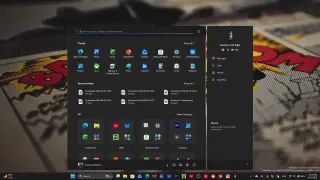
Windows 11’s Start menu is getting a major overhaul rolled out in waves: it now splits into three sections—Pinned (two rows, up to eight pins per row), Recommended (recent files/apps with optional promoted Store apps), and All (automatically grouped by category with a Grid View option). The All view can be switched to Grid View for an alphabetical list, and the menu adapts its size to your screen resolution but cannot be resized itself. It also tightens Phone Link integration. You can trigger the update earlier via Windows Update settings or ViVeTool. Third-party replacements like Start11 remain popular for further customization. The rollout is staged and user reactions are mixed.

Windows 11: How to Access, Update, and Customize the Start Menu
technology6 months ago

Windows 11: How to Access, Update, and Customize the Start Menu

Microsoft has rolled out a new version of the Windows 11 Start menu that simplifies access to all installed apps by eliminating the need to click 'All'. Users can customize the menu to show all apps in various views, and the update is available for certain Windows builds, with the option to enable it via Windows updates or using ViveTool for unsupported versions.