Google’s NotebookLM now lets users generate 60-second TikTok-style AI videos from their uploaded sources, rolling out to Google AI Ultra and Pro subscribers in English only (free-tier coming soon), expanding NotebookLM’s options beyond podcasts and cinematic explainers to visual research summaries.
NotebookLM's latest upgrade adds code-writing, exportable outputs (PDFs, charts, Excel, PowerPoint), and editable files; it can source web material directly in chat, show its reasoning, and import sources into the doc. While it boosts research speed, users should still verify results, and the rollout is currently limited to Google AI Ultra plan members with plans to broaden.
Google’s NotebookLM is getting a major upgrade to Gemini 3.5 with Antigravity support, expanding file types (PDFs, DOCX, images, CSV/JSON, Excel, slides) and enabling a cloud computer to run code for research workflows, plus a new “research report” source-import flow. The update also adds more than 100 software skills to streamline notebooks and allows generating documents (PDFs, slides) alongside text. The rollout starts today for AI Ultra and Workspace AI Ultra Access/Expanded Access subscribers, with broader availability to other accounts later; Google touts a 65% win rate versus Gemini 3.1 on core metrics like accuracy, multilingual support, large document analysis, document creation, and advanced research.
Google updates NotebookLM to Gemini 3.5, adding a secure cloud computer per notebook, code-writing capability, and enhanced web-source discovery via Google Search. You can start research by asking questions directly in chat, import or choose sources, and export results in new formats (PDFs, data visuals, spreadsheets, images). The upgrade is rolling out to AI Ultra and Workspace users with broader plans later.
The article argues NotebookLM is best for grounded research, uploading sources and summarizing long documents with source citations, while Gemini Notebooks excels at turning notes into polished outputs. The winning workflow is to use NotebookLM for research and organization first, then switch to Gemini Notebooks to draft, refine, and finalize content, resulting in a seamless, two-stage process that boosts productivity.
Google Gemini now includes a Notebooks feature that lets you organize chats, upload PDFs and files, set project-specific instructions, and bidirectionally sync with NotebookLM, creating a cross‑app personal knowledge base for brainstorming and producing outputs like videos or infographics. Rollout began on web for Google AI Ultra/Pro/Plus subscribers, with mobile and free access planned soon.
A Tom's Guide writer replaces a jumble of note apps and documents with Gemini Notebooks, turning uploaded notes, PDFs, and handwritten scraps into three context-aware workspaces (Work, Life, Projects). The notebooks remember context across sessions, making planning, drafting, and information retrieval smoother and eliminating the need to dig through old chats or multiple apps. She compares Gemini Notebooks to NotebookLM and Google's Notebooks, noting it’s a more integrated, organized system and declaring she’s never going back to her old setup, with AI now feeling like a collaborative extension of her brain.
Google has fused NotebookLM with Gemini to create a memory-powered, unified workspace for notes and AI interactions, featuring persistent memory, customizable AI instructions, seamless notebook-chat synchronization, and AI Studio tools (mind mapping, flashcards, slide decks), plus folder organization and chat-to-notebook integration; desktop-only rollout with Ultra users first and practical uses in B2B prospecting and research.
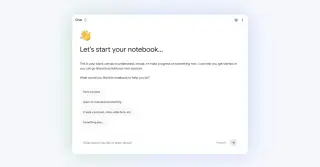
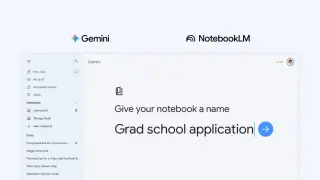
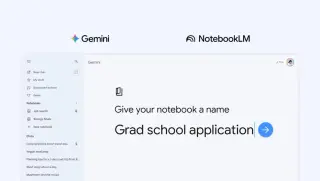
Google has fully integrated NotebookLM into the Gemini app, allowing users to create notebooks directly in the chatbot by adding sources (PDFs, documents, URLs, YouTube videos, or pasted text) and generating outputs like reviewers, infographics, and video/audio overviews. Google warns the tool can be inaccurate and should be double-checked, with rollout starting for AI Ultra/Pro/Plus on the web and expanding to mobile and free users in coming weeks.
Google's NotebookLM can turn research notes into animated, cinematic video overviews using Gemini 3, Nano Banana Pro, and Veo 3, with Gemini guiding the narrative and visuals; availability is English-only for 18+ users with a Google AI Ultra subscription, and a daily cap of 20 videos.
Google rejected Greene’s lawsuit asserting NotebookLM copied his voice, saying the Audio Overviews use a paid professional actor; Greene’s California suit accuses Google of violating publicity rights and unfair competition, a stance set against a backdrop of growing AI voice-cloning litigation.
Open Notebook is an open-source, privacy-focused alternative to Google's NotebookLM, offering features like local AI model installation, multi-source management, and customizable podcasts, though its setup process is complex and geared towards users with technical expertise.
Google's NotebookLM now runs on Gemini 3, enhancing reasoning and multimodal understanding, and introduces a new 'Data Tables' feature for structured data export, with additional capabilities like notebook uploading and export options, available to Pro and Ultra subscribers and soon to free users.
NotebookLM has fully rolled out chat history across mobile and web, allowing users to continue conversations seamlessly, while Google AI Ultra subscribers now enjoy significantly expanded usage limits, including more chats, sources, and advanced features like watermark removal, with these enhancements available to all users.
The NotebookLM app for Android and iOS has been updated to include flashcards and quizzes, enhancing its educational features. Users can customize learning tools, and the app now supports source filtering and improved Chat capabilities with larger context windows and persistent conversations. These features are rolling out via server updates, with additional recent enhancements like source finding and a redesigned Studio tab.