Tag

Insider Preview

All articles tagged with #insider preview

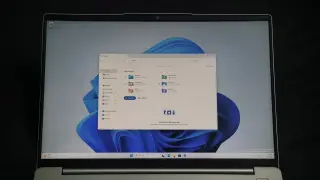
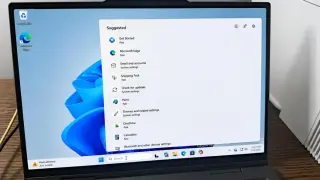
Windows 11 gains customizable taskbar and Start menu in Insider Preview
technology7 days ago

Windows 11 gains customizable taskbar and Start menu in Insider Preview

Microsoft is rolling out an Insider Preview (Build 26300.8493) that reinstates a resizable taskbar and configurable Start menu on Windows 11, letting users move the taskbar to the top or sides, enable smaller icons, and tailor Start menu content and size, while maintaining a list of recently installed apps; the company also teases a modern Run dialog and broader performance and UX improvements.

Windows 11 touchpad gains four new gestures and smarter scrolling in Insider builds
technology17 days ago

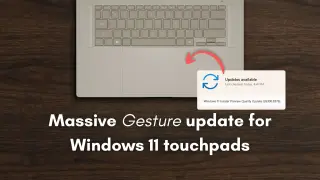
Windows 11 touchpad gains four new gestures and smarter scrolling in Insider builds

Windows 11 Insider Preview builds add a major touchpad upgrade: precision touchpads gain four new gestures and refined scrolling controls (automatic scrolling at edge and with pressure, accelerated scrolling, and single-finger scrolling), plus a revamped Settings page, File Explorer tweaks, and various bug fixes; full functionality may require updated Windows App SDKs.

Xbox Mode Goes Wide: Console-Style UI Arrives on Windows 11 PCs
technology1 month ago

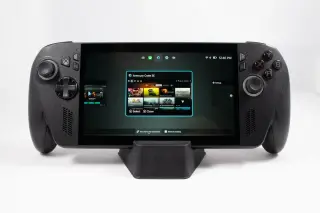
Xbox Mode Goes Wide: Console-Style UI Arrives on Windows 11 PCs

Microsoft is extending its Xbox-mode console-style UI from handheld devices to Windows 11 PCs—including laptops, desktops, and tablets—via a Windows Insider Canary update (build 29570.1000). Users can enable it through the Xbox app, Game Bar settings, or Win+F11; the feature, previously tested on gaming handhelds, may roll out to mainline Windows soon as Microsoft faces competition from SteamOS-like desktop environments.

Windows 11 Insider Preview Lifts FAT32 to 2 TB, Reducing the Old 32 GB Cap
technology1 month ago

Windows 11 Insider Preview Lifts FAT32 to 2 TB, Reducing the Old 32 GB Cap

Microsoft's Windows 11 Insider Preview now lets you format FAT32 drives up to 2 TB with the stock tools, ending the old 32 GB GUI limit. The 32 GB cap was a 30-year-old UI decision rather than a FAT32 spec limit; larger volumes have been possible via other tools previously. FAT32 still imposes a 4 GB file-size limit and is not ideal for large HD or 4K video files.

Windows 11 Insider builds speed up storage settings and lift FAT32 limit to 2TB
technology1 month ago

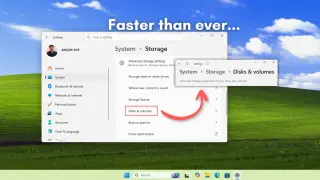
Windows 11 Insider builds speed up storage settings and lift FAT32 limit to 2TB

Windows 11 Insider builds (Dev 26300.8170, Beta 26220.8165) bring faster loading for Storage settings and Disks & Volumes, tweak UAC prompts to appear only when accessing temporary files, and remove the built-in FAT32 formatting cap of 32GB (now up to 2TB via the command line). These changes address long-standing slowdowns on large drives, with a typical stable rollout timeline yet to be announced.

Windows 11 Insider update adds built-in speed test and more enhancements
technology3 months ago

Windows 11 Insider update adds built-in speed test and more enhancements

Microsoft's Windows 11 Insider builds 26100.7918 (24H2) and 26200.7918 (25H2) introduce a built-in network speed test accessible from the taskbar or Quick Settings, using a browser–powered Ookla test via Bing for Ethernet, Wi‑Fi, and mobile connections. The release also adds optional System Monitor integration, Emoji Update 16.0, native WebP desktop backgrounds, pan/tilt controls for compatible webcams, broader archive support, full‑screen widget settings, and performance tweaks for recovery, storage searches, and the Windows Update page, with a gradual rollout to users.

Windows 11 adds a quick taskbar speed test for Insiders via Bing
technology3 months ago

Windows 11 adds a quick taskbar speed test for Insiders via Bing

Microsoft is testing a Windows 11 feature that adds a taskbar button to launch a network speed test via Bing (backed by Ookla). The tool is available to Windows 11 Insiders in the Release Preview channel and shows download/upload speeds and latency after testing. While convenient, it currently redirects to Bing rather than running entirely in-system, and some users may prefer a fully integrated, in‑OS speed test like Ookla’s Speedtest before a broader release.

Windows 11 Updates and Versions: New Features, Compatibility, and Availability
technology7 months ago

Windows 11 Updates and Versions: New Features, Compatibility, and Availability

Microsoft has released Windows 11 Insider Preview Build 26220.6972 to the Dev Channel, introducing new features like mobile device management from Settings, a direct benefits link in the Start menu, updated Game Pass branding, and improvements to File Explorer and display performance. The update also includes fixes for various issues and outlines known problems, with some features being gradually rolled out and subject to change.

Microsoft Unveils Recall AI Preview for Copilot+ PCs
technology1 year ago

Microsoft Unveils Recall AI Preview for Copilot+ PCs

Microsoft has released a preview build of Windows 11 (26120.2415) in the Insider Dev Channel, featuring the new Windows Recall and Click To Do features, exclusively for Copilot+ PCs with Snapdragon processors. Windows Recall, which has faced delays, now includes enhanced security measures, such as data encryption and requiring Windows Hello. The feature is off by default and must be manually activated. Intel and AMD Copilot+ PCs are not included in this initial preview, with no specified timeline for their inclusion.

"Microsoft Expanding Windows 11 Features to Windows 10, Including USB 80Gbps Support and New Lock Screen Features"
technology2 years ago

"Microsoft Expanding Windows 11 Features to Windows 10, Including USB 80Gbps Support and New Lock Screen Features"

Microsoft is backporting Windows 11's rich weather interface on the lock screen to Windows 10, with a new preview build rolling out to Insiders in the Release Preview Channel. This feature will provide a more dynamic and interactive weather update experience, directing users to Microsoft Edge for a detailed forecast on the MSN website. As part of its renewed focus on delivering new features to older Windows releases, Microsoft is also planning to bring Windows Copilot to Windows 10 users and may reopen the Windows Insider Beta Channel for testing new Windows 10 features.

"Microsoft Explores Windows 11 USB 80Gbps Support and Copilot Integration on Login"
technology2 years ago

"Microsoft Explores Windows 11 USB 80Gbps Support and Copilot Integration on Login"

Microsoft is testing USB4 Version 2.0 support in Windows 11, enabling transfer speeds of up to 80 Gbps, initially launching on select devices based on Intel Core 14th Gen HX-series mobile processors. The company is also testing a new Windows Copilot option to automatically open on login for widescreen devices, and has released ISO images for the dev build. Additionally, there are updated Windows share dialog improvements rolling out to Windows Insiders.

"Microsoft's Accidental Leak Unveils Hidden Windows 11 Features and Enhanced Screen Casting"
technology2 years ago

"Microsoft's Accidental Leak Unveils Hidden Windows 11 Features and Enhanced Screen Casting"

Microsoft accidentally leaked an internal tool called "StagingTool" that allows engineers and testers to enable hidden features in Insider preview builds of Windows 11. The tool was discovered in a "bug bash" quest in the Feedback Hub and can override A/B testing to grant access to features that haven't been officially released. While third-party tools have offered similar functionality, StagingTool uses Microsoft's official methods. Windows 11 Insiders are currently participating in the bug bash, which involves completing tasks and providing feedback.

"Windows 11 Beta Removes Old File Explorer Features and Fixes Taskbar Issues"
technology2 years ago

"Windows 11 Beta Removes Old File Explorer Features and Fixes Taskbar Issues"

The new Insider Preview build of Windows 11 introduces new features such as the ability to write in any text field with Windows Ink and reintroducing the Windows 7-to-10-era "never combine labels" setting for app icons in the taskbar. However, the build also removes several power-user-oriented settings from the File Explorer's Folder Options menu, most of which have been around for decades. Additionally, the on-by-default Chat button is being replaced with an icon for the Microsoft Teams - Free service, which can be pinned and unpinned like any other taskbar app.