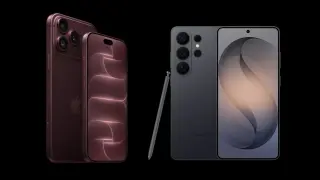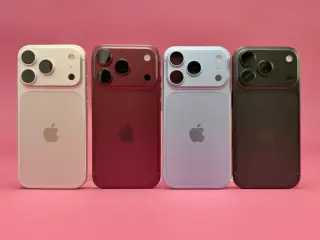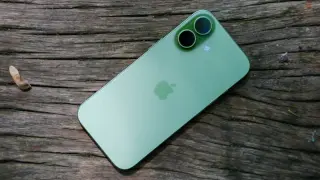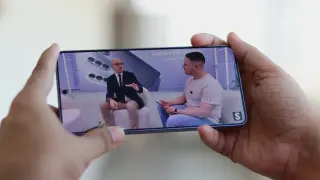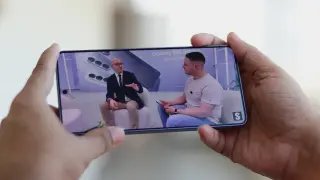
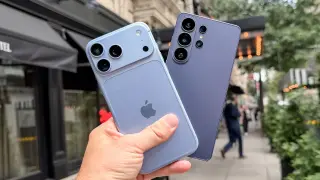
The Galaxy S26 Ultra promo video appears to show the unreleased iPhone 18 Pro Max with a smaller Dynamic Island, fueling speculation about Apple's next flagship; Samsung released two regional versions of the clip and, in a statement, said it does not share confidential customer information, with rumors suggesting a smaller cutout or potential display-area changes that could be due to supply-chain clues or an asset error.
Samsung's Galaxy S26 Ultra packs a powerful but intricate camera system; this guide shows how to optimize Auto mode by using Camera Assistant and a precise default setup: enable the 24MP lossless pipeline, disable Auto Flash, set Photo Enhancer to Quality, turn on Scene Detection, use 10-bit HEIF, keep Tracking AF on, leave Focus Enhancer off except for macro, enable grid, and bind volume keys to zoom. In Camera Assistant, set 24MP as default, set Photo Softening to Medium-High, add 2x and 10x shortcuts, disable Auto Lens Switching, prioritize focus over speed, disable Quick Tap Shutter, keep Distortion Correction and Auto HDR on, and turn off Adaptive Pixel and upscale zoom; cap ISO at 400 for 12MP mode and use WB/exposure controls as needed. The guide also explains the 24MP lossless zones across lenses (ultra-wide up to ~0.9x, main to ~1.9x, 5x tele to ~9.9x), when to use 24MP vs 12MP, and how Night mode can influence output, all aimed at extracting the phone’s best detail and color.
Samsung confirms the Galaxy S26 Ultra’s Privacy Display blocks viewing from the sides to protect privacy, but user reports note reduced sharpness and color accuracy at certain angles or when brightness is high. Samsung says the impact on normal use is negligible and hints at potential improvements with the Galaxy S27 Ultra, while a separate report suggests the next model could feature LPDDR6 memory.
Samsung’s Galaxy S26 Ultra is selling well, but a reader poll shows most users are disappointed by the upgrades: aluminum frame instead of titanium, no Bluetooth for the S Pen, the 5000 mAh battery unchanged, and only minor camera changes. Positive notes include the privacy display, 60W wired charging, and new software features like 24 MP mode and AI tools. Overall, sentiment is mixed: consider upgrading only if you’re on older models, while S25 Ultra owners may want to skip this year’s jump.
Samsung's Galaxy S26 Ultra introduces a privacy display to hide screen content, but feedback from users and reviewers points to eye strain and a perceived downgrade in display quality, fueling buyer hesitation. A poll shows about 36% won’t buy due to the display, 33% aren’t affected, and 30% who already bought report problems; Samsung is reportedly addressing concerns and offering incentives to keep customers.
The 65W Trio multi-port charger only delivers 45W in PPS, which isn’t enough for the Galaxy S26 Ultra’s 60W fast charging. Full 60W charging requires a PPS output of 60W, so Samsung’s compatible 60W charger (EP-T6010, $54.99) is needed to reach peak speed.
Samsung’s Galaxy S26 Ultra can wireless-charge at 25W with Samsung’s EP-P2900 pad, but you must power the pad with a 45W (or higher) charger to hit 25W; using a 25W charger will cap charging at about 15W (same limitation applies to third‑party Qi 2.2 pads). The EP-P2900 costs $49.99, the 45W adapter is $49.99, and a bundle with both is $74.99. The Galaxy S26+ supports 20W wireless charging.
Samsung responded to backlash over the Galaxy S26 Ultra's privacy display, acknowledging possible brightness variations at high brightness but saying the impact on everyday use is negligible, even as many users and tech critics report a dimmer screen and questionable image quality compared to the S25 Ultra.
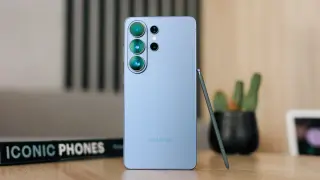
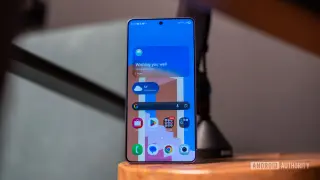
Samsung’s Galaxy S26 Ultra is a large, premium flagship that pairs top-tier performance (Snapdragon 8 Elite Gen 5 for Galaxy) with a 6.9-inch OLED and a Privacy Display that dims the screen to deter shoulder surfers. It sports a versatile quad-camera setup, an S Pen, Armor Aluminum build, and seven years of updates, plus solid battery life with 60W wired and 25W wireless charging. Priced at $1,300, it’s exceptionally capable but very heavy, expensive, and many of its AI features feel still-beta or underutilized, making it a standout for power users rather than a must-buy for everyone.
Samsung confirms the Galaxy S26 Ultra’s Privacy Display can cause a small brightness variation when viewed from certain angles or at maximum brightness. It says the impact on everyday use is negligible, and tests including angle comparisons show the difference is minor and largely unnoticeable, especially at lower brightness levels.
Samsung's Galaxy S26 Ultra has received its first One UI 9 build (global SM-S948B, BZC5, ~2.6GB), signaling development of the Android 17–based update; the build, spotted on Samsung servers with accompanying screenshots, hints at UI and security enhancements, including improved windowing and lock-screen widgets, while Google rolls out Android 17 Beta 2. Samsung may open a One UI 9 beta program ahead of a mid-2026 stable Android 17 release alongside the Galaxy Z Flip 8 and Z Fold 8.
Verge’s review praises the S26 Ultra for its Privacy Display that dims the screen to deter shoulder-surfing in public, alongside real camera improvements that boost low-light performance. It also notes intriguing AI tools like Now Nudge and Gemini automation, though these are still evolving and raise trust questions around generative editing. The package remains large and pricey with quirks (no Qi2 magnets), but the Ultra finally feels like a distinct, useful device for privacy-minded power users.
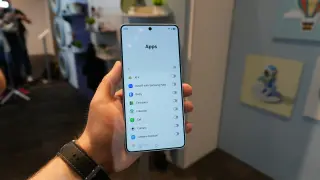
Samsung's Galaxy S26 Ultra now supports Gemini automation that can place orders across apps in the background; after you prompt Gemini, it navigates apps, selects items, and you only confirm the final purchase, showcasing AI-driven screen automation's potential.
Samsung announces the Galaxy S26 Ultra, the first smartphone with a built‑in Privacy Display that limits side-angle visibility while preserving full viewing from the user’s perspective. The hardware-based feature is customizable, can be enabled for sensitive actions like entering passwords or viewing notifications, and is designed to avoid the downsides of aftermarket privacy screens.
Google’s Gemini task automation, now in beta on Samsung’s Galaxy S26 Ultra, can run certain apps in a virtual window to handle errands like ordering an Uber or coffee via prompts, pausing for your review; the Verge tester says it’s impressive but still early and a little weird as it navigates real-world app flows.