Tag

Lock Screen

All articles tagged with #lock screen

Sonos adds iPhone lockscreen playback controls with Live Activities
tech8 days ago

Sonos adds iPhone lockscreen playback controls with Live Activities

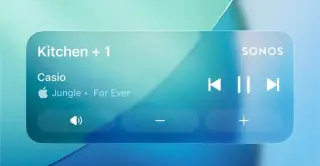
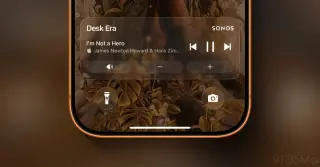
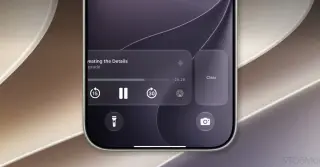
Sonos’ latest iOS app update adds support for Apple’s Live Activities, letting iPhone users view basic playback details and control music or podcasts from the lockscreen after starting playback. Album art isn’t shown yet, and the feature must be enabled in both the Sonos app and iOS settings; it will disappear from the lockscreen 15 minutes after playback ends. The update also includes watchOS and CarPlay support, though those platforms don’t yet offer lockscreen controls. Sonos says it’s continuing to refine the feature and lock-screen experience.

Sonos Brings Live Activities to iPhone Lock Screen
technology8 days ago

Sonos Brings Live Activities to iPhone Lock Screen

The Sonos iPhone app now supports iOS Live Activities, displaying the current room playback on the Lock Screen after you start playback and removing it 15 minutes after you stop. To make changes, you must unlock your iPhone with Face ID or a passcode. Live Activities also work in CarPlay and Apple Watch with limited controls; album art isn’t supported yet. You can disable the feature in the Sonos app settings, and playback can still be controlled via AirPlay, Bluetooth, or other supported methods.

iOS 27 Quietly Shrinks the Lock Screen Clock to Let Wallpapers Shine
technology18 days ago

iOS 27 Quietly Shrinks the Lock Screen Clock to Let Wallpapers Shine

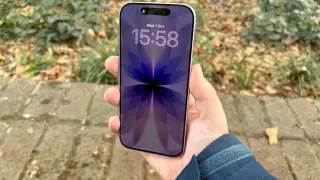
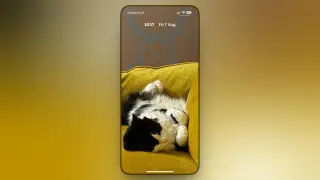
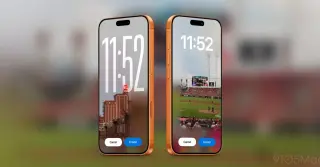
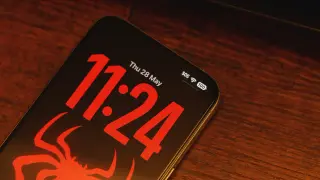
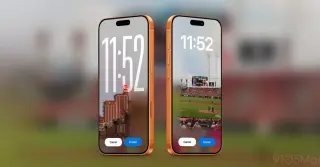
iOS 27 adds a new compact clock mode that shrinks the time to about the size of the date and places it in the Lock Screen’s top row, letting your wallpaper show through. Enable by long-pressing the Lock Screen > Customize > clock frame > the two-bar icon to switch to compact mode (tap again to revert). Your existing font, weight, and color choices stay, but the Liquid Glass slider isn’t available in compact mode. The option is per Lock Screen, not global, and iOS 27 is in public beta with a September general release.

iOS 27 Expands Lock Screen Customization with Extend, Image Playground, Clock Movement, and Now Playing Tweaks
technology19 days ago

iOS 27 Expands Lock Screen Customization with Extend, Image Playground, Clock Movement, and Now Playing Tweaks

iOS 27 introduces four new Lock Screen customization options: Extend uses AI to add content around image edges so wallpapers fit better; Image Playground lets you generate wallpapers from photos or natural language prompts; you can move the clock to the top area to reveal more of your wallpaper; and you can swipe away the Now Playing widget while music continues playing. These features are initially available to developers and public beta testers, with a full public release planned later this year.

iOS 27 Public Beta 2 Adds Refined UI and Enhanced Siri Customization
technology1 month ago

iOS 27 Public Beta 2 Adds Refined UI and Enhanced Siri Customization

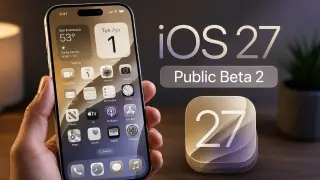
Apple’s iOS 27 Public Beta 2 brings cohesive UI refinements and new usability tweaks: lock screen icon colors now white for a cleaner look, a smoother volume rocker animation, Spotlight search tweaks with a splash screen and improved mic visibility, a subtly redesigned keyboard with better key spacing, an adaptive AirPods control in Control Center, more accurate cellular signals, expanded Siri accents, updated Health and Find My visuals, and fixes for wallpaper glitches caused by notifications—highlighting Apple’s ongoing focus on a polished and intuitive user experience.

Galaxy One UI 9 tightens lockscreen security: 13th failed unlock triggers a factory reset
technology1 month ago

Galaxy One UI 9 tightens lockscreen security: 13th failed unlock triggers a factory reset

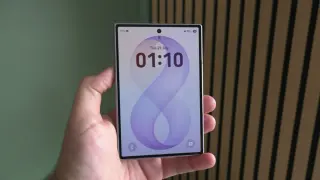
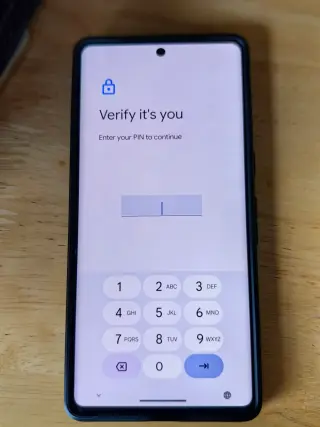
One UI 9.0 for Galaxy tightens lockscreen security by drastically reducing the number of allowed unlock attempts and introducing escalating temporary lockouts that start after the fifth failed attempt. If the 13th attempt is incorrect, the device locks permanently and requires a factory reset. Lockout durations progress from 1 minute up to 24 hours, with a permanent ban after the 13th failure. Android still requires backup PIN/password/pattern periodically, so biometrics won’t always grant access. The change applies to devices launched with One UI 9.0; beta on the Galaxy S26 reportedly does not include these changes yet. Samsung notes the device will display remaining attempts, and repeated identical wrong entries aren’t counted as multiple attempts. Consider enabling accidental touch protection to reduce false unlocks in pockets or bags.

The Tiny Lock-Screen Line Is Your iPhone's Control Center Indicator
technology2 months ago

The Tiny Lock-Screen Line Is Your iPhone's Control Center Indicator

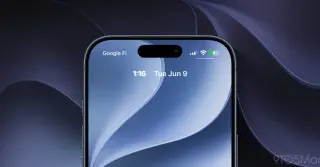
That small line under the battery icon on the iPhone lock screen is the Control Center indicator. You can access Control Center from the lock screen by swiping, and you can hide the line by disabling Control Center access when locked in Settings > Face ID & Passcode; it will stay hidden until you unlock, improving security by preventing access to controls when the device is locked.

One UI 8.5 Revives Graphical Wallpapers with Interactivity
technology3 months ago

One UI 8.5 Revives Graphical Wallpapers with Interactivity

Samsung’s One UI 8.5 update adds downloadable, interactive Graphical wallpapers—now eight designs total with two new additions. They animate on interaction (parallax motion or taps) on the lock screen, while home screen stays static. Wallpapers download to save storage and can be uninstalled; access them in Settings under Wallpaper and style > Change wallpapers > Graphical. The update is rolling out to more devices, including the Galaxy S24+.