Tag

Google Docs

All articles tagged with #google docs

Gemini brings auto-generated diagrams and infographics to Google Docs
technology28 days ago

Gemini brings auto-generated diagrams and infographics to Google Docs

Google's Gemini can generate, edit, and refine diagrams and infographics directly inside Google Docs using natural-language prompts. It creates context-aware visuals that align with the document, supports adjusting aspect ratios and styling, and can batch-insert graphics across long texts. The feature requires Workspace smart features and is rolling out from July 28, 2026 across Rapid and Scheduled Release domains to Business, Education, and AI Pro customers.

Gemini adds in-doc visuals to Google Docs in Workspace rollout
news28 days ago

Gemini adds in-doc visuals to Google Docs in Workspace rollout

Gemini can now generate and edit images, diagrams, and infographics directly inside Google Docs on the web, using the document as context. It can also modify existing visuals or apply a single prompt to multiple images, accessible via the bottom bar and Gemini side panel. The web-only feature is rolling out gradually to eligible Workspace, Education, and Google AI plans and may take up to 15 days for everyone to see it.

Word’s Hidden Frustrations: 4 Ways Google Docs Outshines It
technology1 month ago

Word’s Hidden Frustrations: 4 Ways Google Docs Outshines It

The piece argues that while Microsoft Word is feature-rich, Google Docs often offers a simpler, cloud-first experience with fewer friction points. It highlights four disadvantages of Word: a non-intuitive Ribbon interface that can overwhelm beginners; no free offline desktop version (offline Word requires a paid Microsoft 365 or Office 2024 license, while Google Docs is free offline); cloud features in Word require upfront uploading to OneDrive/SharePoint, adding steps and risk without automatic version history; and potential cross-version formatting issues when Word files are opened on different Word versions, whereas Google Docs maintains consistent formatting across platforms.

Google Docs vs. Microsoft 365: The Clear Winner After Decades of Use
technology10 months ago

Google Docs vs. Microsoft 365: The Clear Winner After Decades of Use

Google Docs is highly convenient for online collaboration and offers sufficient features for routine tasks, but Microsoft 365 provides more powerful desktop applications and greater flexibility, making it the preferred choice for advanced document, spreadsheet, and presentation editing. Both suites are accessible across platforms and offer free tiers, with Microsoft 365 excelling in desktop app capabilities and Google Docs in online collaboration.

Google Docs Integrates Gemini AI for Enhanced Document Creation
technology1 year ago

Google Docs Integrates Gemini AI for Enhanced Document Creation

Google Docs is testing a new AI-powered feature called "Help me create," which uses Gemini to generate formatted documents from scratch. This feature allows users to integrate Google Drive files by typing "@" followed by the file name, although it doesn't retain the original layout or style. While it enhances productivity by creating various document types, it currently cannot generate images of people and is available only to select users in the Gemini for Google Workspace Alpha and Workspace Labs programs.

Google Docs Introduces AI-Powered Image Generation with Imagen 3
technology1 year ago

Google Docs Introduces AI-Powered Image Generation with Imagen 3

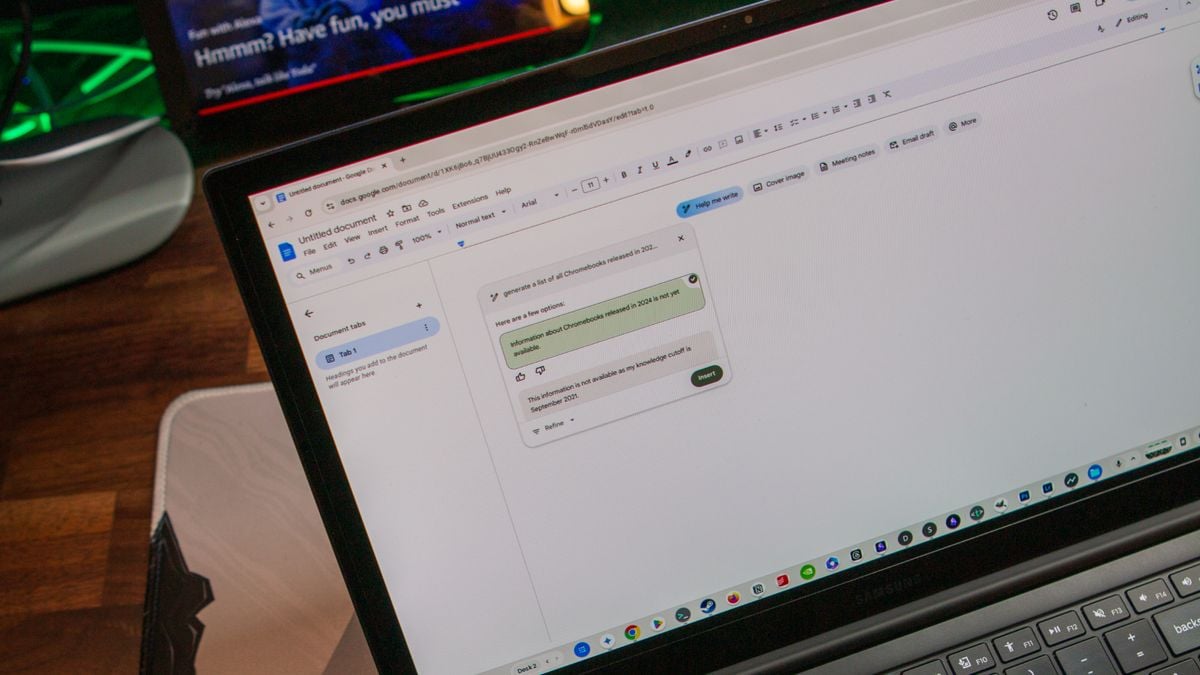
Google has integrated its Imagen 3 AI model into Google Docs, allowing paid Workspace and Google One AI Premium users to generate custom inline images directly within their documents. This feature expands on previous capabilities that only supported full-bleed cover images. Users can create photorealistic images using text prompts and select from different styles and aspect ratios. However, this functionality is not available to free users and is currently rolling out to eligible subscribers.

"Google Docs Introduces Handwritten Annotation Feature for Android Users"
technology2 years ago

"Google Docs Introduces Handwritten Annotation Feature for Android Users"

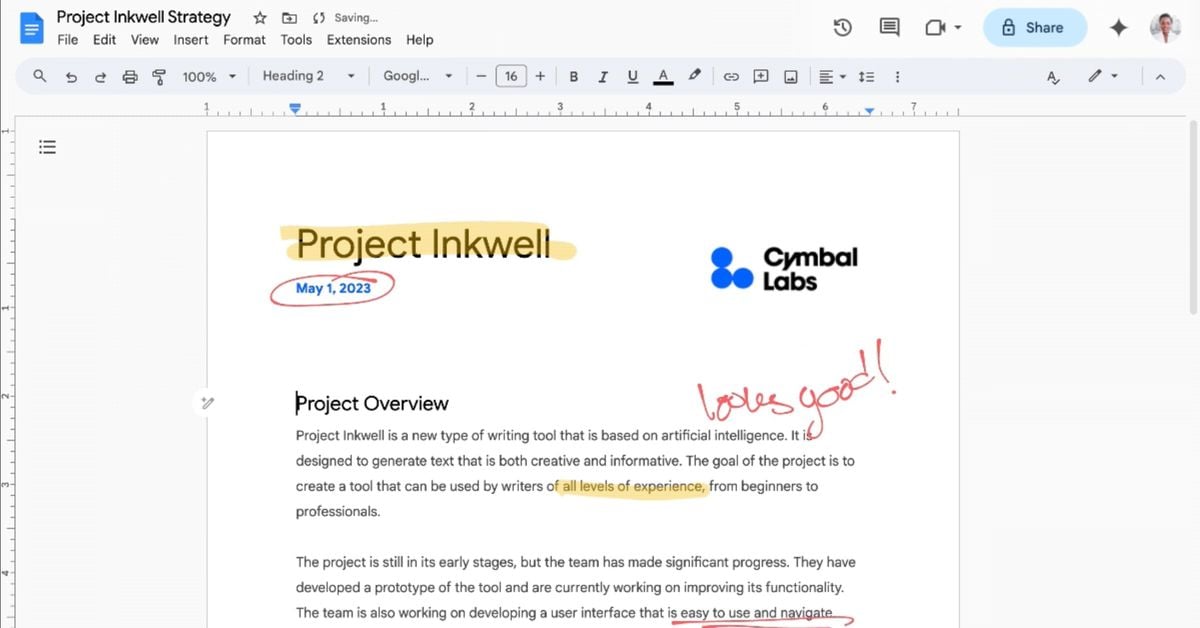
Google has introduced a new markup feature for Google Docs that allows users to hand annotate directly on a document using a stylus or finger, catering to educators and students for providing feedback and creative writing. However, the feature is currently only available on Android devices, limiting its accessibility to users of Windows, macOS, and iOS devices. The rollout began on February 27th and will continue through March 11th, but the lack of compatibility with popular devices like iPads and non-touchscreen Chromebooks may hinder widespread adoption.

"Google Workspace Enhances Comment Accessibility on Android Tablets"
technology2 years ago

"Google Workspace Enhances Comment Accessibility on Android Tablets"

Google Docs, Sheets, and Slides on Android tablets now feature a formatting sidebar, replacing the previous toolbar, to provide easier access to formatting options such as line spacing and columns. This change reduces the number of taps needed to navigate formatting options and will be fully available over the coming weeks. Additionally, Google Slides on the web will soon allow users to drag and drop an image to replace a background.

Google Docs introduces @ button to enhance Smart Chips usage while potentially causing distractions for writers
technology2 years ago

Google Docs introduces @ button to enhance Smart Chips usage while potentially causing distractions for writers

Google Docs has introduced an "@ button" shortcut to encourage the usage of Smart Chips, which allow users to perform various actions within Docs and other Workspace apps. The button appears when the cursor is on a blank line and provides quick access to People shortcuts and Smart Chips such as Date, Dropdown, Stopwatch, Timer, Task, Variable, Voting, and Placeholder. Additionally, Workspace domains now allow employees to record and share the pronunciation of their names, which can be played from profile cards in Gmail, Docs, and other apps. These features are available to Google Workspace customers and users with personal Google Accounts.

Master Google Docs with these hidden features
productivity2 years ago

Master Google Docs with these hidden features

Google Docs offers a range of lesser-known features that can enhance productivity and document creation. Users can look up definitions, switch to a pageless view for an infinite canvas, create building blocks with templates like meeting notes and email drafts, generate a table of contents automatically, compare documents, explore the web and Google Drive within the document, react with emoji, copy and paste formats, display word count while typing, use text expansion for automatic substitutions, search for tools or features, utilize keyboard shortcuts, and drop in smart chips for dynamic information and linking to other files.

"Google Bard: Your Ultimate AI Assistant for Organizing and Chatting"
technology2 years ago

"Google Bard: Your Ultimate AI Assistant for Organizing and Chatting"

Google has introduced new extensions for its AI chatbot, Bard, allowing users to connect it to Gmail, Docs, and other Google services. While the updates offer potential benefits for organizing and retrieving information, users should manage their expectations as the extensions are still experimental. Bard's ability to accurately retrieve specific emails or documents is limited, often providing outdated or irrelevant results. However, it can be useful for finding information on general topics and providing writing feedback. Overall, Bard has room for improvement before it becomes a reliable assistant, and users may still prefer traditional search methods for now.