Tag

Watchos

All articles tagged with #watchos

Apple Watch Always On Display Stuck on Summer Time After US Clock Change
technology22 days ago

Apple Watch Always On Display Stuck on Summer Time After US Clock Change

Apple has released a support guide to address a bug affecting the Apple Watch Always On display following the US daylight saving time change on November 1, 2026. The issue causes the watch to display a time one hour ahead when the wrist is down, though the active display remains accurate. Apple recommends switching watch faces or restarting the device to resolve the glitch, which also appeared in StandBy mode for some users.

Five underrated Apple Watch tricks that transform how you use it
wellness4 months ago

Five underrated Apple Watch tricks that transform how you use it

Tom's Guide highlights five underrated Apple Watch features that will change daily use: enabling Noise to monitor environmental sound and protect hearing; using Walkie-Talkie for real-time voice messages; taking ECG readings for heart rhythm checks; browsing the web by sending a URL to yourself in Messages; and triggering the iPhone camera remotely with a double-tap gesture via Camera Remote.

Unlock Your Apple Watch: 10 Features You Should Enable
technology4 months ago

Unlock Your Apple Watch: 10 Features You Should Enable

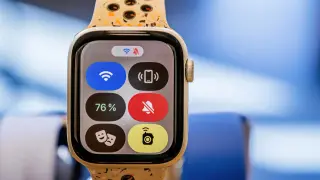
The article outlines 10 essential Apple Watch features to enable for better health insights, customization, and daily convenience, including Sleep Focus, automatic Watch Face changes via Focus, pausing/customizing workouts, Type to Siri, refined notification permissions, Precision Finding with AirTag, customizable Control Center, Walkie-Talkie, and Apple Pay setup.

watchOS 27 boosts health with menopause tracking, smarter coaching, and indoor workout accuracy
technology4 months ago

watchOS 27 boosts health with menopause tracking, smarter coaching, and indoor workout accuracy

watchOS 27 introduces three Health-focused upgrades: Cycle Tracking can notify users about perimenopause and menopause patterns and offer related resources; Workout Buddy gains new insights, can run without an iPhone nearby, and adds Spanish language support; and indoor walk/run distance accuracy improves with better motion tracking, plus Health and Fitness step counts finally sync.

iOS 27 beta 3 adds Siri AI upgrades and UI polish for developers
technology4 months ago

iOS 27 beta 3 adds Siri AI upgrades and UI polish for developers

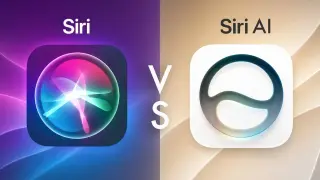
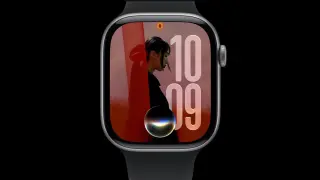
Apple releases iOS 27 beta 3 for developers, introducing Siri AI improvements and Apple Intelligence updates, plus UI tweaks like the Reminders icon and Settings indexing. watchOS 27 beta 3 adds a standalone Siri app, and macOS gets a Golden Gate wallpaper note. Supported devices remain iPhone 11 and newer, plus iPhone SE 2 and newer; a public beta is expected in July with the final release in September. Installation is via Settings > General > Software Update, and early betas are not recommended for primary devices due to bugs and performance issues.

Ten Quick Apple Watch Tricks to Boost Daily Use
technology5 months ago

Ten Quick Apple Watch Tricks to Boost Daily Use

Engadget highlights 10 lesser-known Apple Watch features you can set up in minutes, including Auto Unlock with a Mac, Backtrack in Compass, one-handed gestures (double-tap, wrist flick), Camera Remote for iPhone photos, Find My iPhone with flashlight, Walkie-Talkie, named timers, Apple Pay, Speak Time, and Digital Touch heartbeat sharing, to extend everyday usefulness and convenience.

watchOS 27 Keeps Liquid Glass Slider Off Apple Watch, Applies Subtle Visual Tweaks
technology5 months ago

watchOS 27 Keeps Liquid Glass Slider Off Apple Watch, Applies Subtle Visual Tweaks

watchOS 27 does not add a Liquid Glass slider for Apple Watch—unlike iPhone, Mac, and iPad—while still delivering subtle updates to Liquid Glass’s appearance on the watch. iOS 27 brings the translucency slider to other devices, but WatchOS sticks to a single default setting; the watchOS 27 beta is out (Apple Watch Ultra 3), with a public beta due in July ahead of a fall release.

Unfreeze Your Apple Watch: Quick Restart and Troubleshooting Tips
technology5 months ago

Unfreeze Your Apple Watch: Quick Restart and Troubleshooting Tips

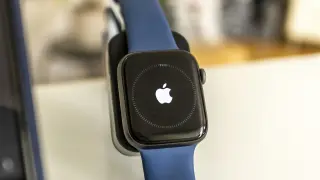
If your Apple Watch freezes, start with a normal restart: press and hold the side button, tap the Power Off icon, and turn it back on after a few seconds. If the screen is unresponsive, perform a force restart by holding both the Digital Crown and the side button until the Apple logo appears (about 10 seconds). If issues persist, check for a watchOS software update in the Watch app on your iPhone (My Watch → General → Software Update) or unpair and re-pair the watch, choosing Restore from Backup to recover data. If problems continue, consider service.

watchOS 27 boosts Siri AI, workouts and gestures while trimming device support
technology5 months ago

watchOS 27 boosts Siri AI, workouts and gestures while trimming device support

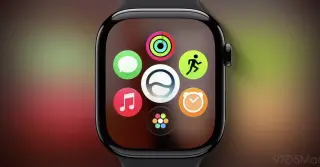
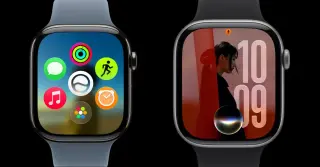
Apple's WWDC 2026 previewed watchOS 27 with expanded Siri AI (requiring iPhone 15 Pro or newer), an upgraded Workout Buddy that works without an iPhone and adds Spanish, a new tap gesture for Smart Stack, Liquid Glass refinements and a dynamic app grid, and Find My consolidation; the update drops support for Apple Watch SE 2, Series 6–8, and the original Ultra, with a beta now and a public release planned for this fall.

watchOS 27 narrows Apple Watch compatibility to newer models
technology5 months ago

watchOS 27 narrows Apple Watch compatibility to newer models

Apple announced watchOS 27 at WWDC26, bringing new features like Siri AI and workout insights, but it drops support for older Apple Watches. The models able to run watchOS 27 are the Apple Watch SE (3rd generation), Series 10, Series 11, Ultra 2, and Ultra 3; it requires an iPhone 11 or later, or iPhone SE (2nd generation or later) running iOS 27, with some features limited on older devices.