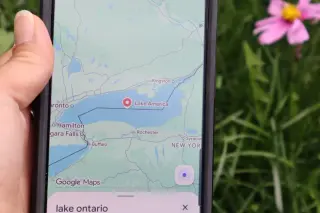
Frustrated GTA 6 fans are leaving negative Google Maps reviews for Rockstar North over the long wait for the game, while speculation swirls about a trailer around Take-Two's May 21 investor briefing and a November 19 release date for PS5 and Xbox Series X|S.
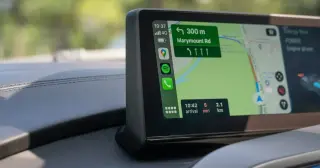
Google’s Android Auto is getting a major refresh that lets maps and widgets fill any car screen shape with edge-to-edge Google Maps and a borderless UI. The update centers on Immersive Navigation 3D view, offering real-time details and the option to pin widgets on top of Maps. It also enables 60fps HD video playback from the phone on supported head units (parked, with audio continuing while driving) and will add Dolby Atmos support soon. Gemini AI will be more tightly integrated for context-aware tasks (e.g., replying to messages, calendar checks, or ordering via Doordash) and will roll out across multiple brands later this year, with BMW, Ford, Genesis, Hyundai, Kia, Mercedes-Benz, Renault, Skoda, Tata, and Volvo among early adopters.
Google Maps for CarPlay could soon support Google's Gemini AI, adding an 'Ask Maps' feature that lets CarPlay users ask contextual questions about destinations. The integration appears in app code and would require users to accept new Terms of Service on iPhone; Gemini is already available on iPhone Google Maps but not yet on CarPlay. Apple’s iOS 26.4 allows third-party voice AIs on CarPlay, suggesting a rollout could happen soon, alongside other CarPlay AI options like ChatGPT, Grok, and Perplexity.
A number of Google Maps route searches into Greater Manchester showed a false Clean Air Zone warning, including a claimed daily charge for non-compliant vehicles, despite the CAZ being scrapped. Google says the issue is known and a fix is being rolled out; the alert only appears for routes starting outside GM and did not appear in other map apps. The warning referenced an older 2021 article, and GM officials emphasized the CAZ plans were abandoned in favor of cleaner transport investments.
Google Maps is bringing native EV route planning to Android Auto, allowing users to select their car make/model to predict battery use, plan charging stops, and set a preferred arrival state of charge. The feature uses AI energy models plus real-time Maps data (traffic, elevation, weather) and auto-updates SOC during a trip, though initial SOC must be entered manually since it doesn’t connect directly to the vehicle. It launches with support for 350 models across at least 15 brands.
Google Maps is testing a new floating action button that lets you share your current location directly from the map, reducing steps compared with apps like WhatsApp or Google Messages. The update also reorganizes the share menu into a grid and removes several options, with wider rollout expected after limited testing.
Google Maps unveils its biggest navigation upgrade in more than ten years, powered by Gemini AI. The new Ask Maps feature provides conversational, real‑world answers and route suggestions, while Immersive Navigation adds 3D visuals, improved audio directions, and smarter trade-offs for alternate routes. The update rolls out today in the U.S. and will reach more Android and iOS devices, CarPlay, Android Auto, and compatible vehicles in the coming months.
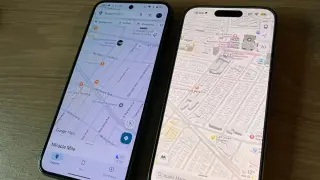
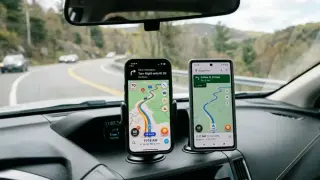
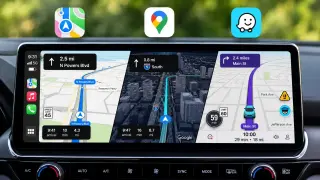
Google Maps has released its biggest update in over a decade, turning the app into an AI-powered travel companion with Immersive Navigation (enhanced road details and see-through 3D renderings) and Ask Maps (natural, context-aware directions and place questions) powered by Gemini AI; rolling out in the US for iOS, Android, CarPlay, Android Auto, and Google-built cars, potentially shaking up competition with Waze and Apple Maps.
Google announced a sweeping Maps update featuring Immersive Navigation, a new 3D driving view that renders buildings, streets, and terrain with smart zooms and lane guidance to reduce guesswork; Gemini handles the spatial understanding behind the feature, while 'Ask Maps' adds an on-map AI assistant for finding places. The update also highlights entrances and nearby parking, supports hands-free navigation, and is rolling out today to eligible Android and iOS devices in the US with CarPlay/Android Auto expansion coming later, marking Google Maps' biggest navigation upgrade in a decade.
Google Maps now includes Gemini AI-powered Ask Maps, letting users ask real-world questions (for example, locating a lit public tennis court tonight) and generate tailored itineraries from data on 300 million+ places. It also introduces Immersive Navigation, a major update with a 3D view that highlights road details like lanes, traffic signals, and stop signs, based on Gemini’s analysis of Street View and aerial imagery. Ask Maps rolls out in the U.S. and India on iOS/Android (desktop coming soon), while Immersive Navigation starts in the U.S. today with plans for broader availability in the coming months.
Google Maps adds Ask Maps, a Gemini-powered conversational feature on mobile that answers location questions and plans trips, personalizes recommendations, and works with an upcoming Immersive Navigation mode as part of Google's broader Gemini integration across its apps.
Google is reconfiguring Maps around its Gemini AI to add an in-car conversational assistant via Ask Maps, using vast location data and Personal Intelligence to tailor results; it also introduces a 3D Immersive Navigation overhaul with clearer road features and final-mile details, rolling out on Android and iOS in the US and India, with desktop and CarPlay/Android Auto support arriving later.
A Creative Bloq piece condemns Google Maps’ redesigned icon, calling the watercolor-gradient pin a “gaping monstrosity” that feels hollow and unsettling, arguing it undermines warmth and trust in the brand, with readers online echoing the backlash.
South Korea’s transport ministry granted conditional approval for Google Maps to export detailed mapping data, requiring data processing on domestic servers, local hosting, government clearance, and security controls (including blurring sensitive areas) along with a compliance officer; this ends a decades-long ban that previously blocked walking and driving directions and signals a shift that could boost Maps’ competitiveness against local rivals and aid foreign visitors.
This Lifehacker guide bundles 10 Google Maps tips to tailor routing, save data, and boost privacy: double-check route options before leaving, use offline maps, set your vehicle type (including EV charging), link music services for in-app playback, view accessibility details, use watch-friendly directions and Live View for walking, hide your Maps profile, delete or auto-delete history, enable incognito mode, and save favorites in shareable lists—though features can vary by region and may not always be perfect.