Google confirms a bug in Messages that splits group chats into separate threads, duplicating conversations; affected users are asked to submit feedback with #splittingthreads while Google engineers work on a fix, even as related RCS issues persist for some devices.
Samsung Galaxy owners who migrated to a new device with Smart Switch report Google Messages’ RCS failing, sometimes showing error 3100. Google says corrupted cache files transferred during Smart Switch may cause the issue and suggests updating Google Messages, turning off and on RCS, clearing Carrier Services data, rebooting, and re-enabling RCS, though not all users see relief and some have only resolved it via factory reset; carrier porting issues may also play a role.
Reddit users report that Rich Communication Services (RCS) stops working on newly switched Android devices using Google Messages, with error code 3100 indicating a server connection issue; Google advises updating the app, turning RCS off and on, clearing Carrier Services data, rebooting, and sending diagnostics if needed. Some users claim a VPN workaround (connect to a VPN, turn RCS off/on, then disconnect) helped, but downgrading Google Messages is not advised. The issue appears during device transfers and may relate to cache/data from the switch or incomplete number porting, with cross‑platform RCS requiring carrier support and up-to-date software.
iOS 27 will enable inline, threaded replies to Android messages in Messages using the RCS Universal Profile 3.0 standard, with emoji reactions also clarified. The feature rolls out on supported iPhones in September and depends on carrier support at both ends. To check readiness, go to Settings → Apps → Messages → RCS Messaging; if the option isn’t visible, your carrier hasn’t enabled it yet.
iOS 27’s Messages gets one-tap suggestions powered by Apple Intelligence, a new Drawing iMessage app, upgrades to RCS (inline replies and reactions with potential edits/unsend), plus new settings for audio controls, consolidated notifications for tapbacks, smarter personalized Smart Replies, gore filtering for child accounts, and notable performance gains like faster sending/loading, quicker syncing across devices, and easier media management.
Lifehacker previews iOS 27’s Messages overhaul, including a new Drawing iMessage app, a customizable voice-message button, and playback speed options; Siri AI can draft, rewrite, or locate messages; one-tap AI suggestions for actions, automatic retries for failed sends, per-message send indicators, and enhanced search by number or nickname; updated notification handling for reactions and support for inline RCS replies to improve cross‑platform chats, with the update arriving this fall and a beta available now.
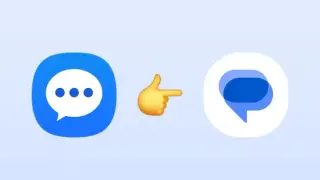
Samsung Messages has been discontinued in the US as of July 6, 2026, with users prompted to switch to Google Messages. The migration reportedly transfers message history and makes Google Messages the default app to access RCS features; Google Messages adds a Chat Themes feature, though some Samsung-specific features may be missing. A Samsung support page confirms the shutdown date for devices on Android 12+.
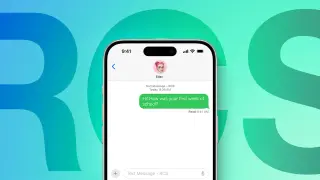
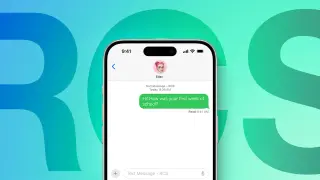
Apple's iOS 27 beta 2 adds inline replies for iPhone–Android RCS conversations by long-pressing a message, mirroring the iMessage workflow, and now displays tapback emoji on images and videos in RCS chats. RCS support began with iOS 18, with encryption added in iOS 26.5; proper threading requires both sender and recipient to be on RCS-enabled devices/carriers. The feature is currently in developer beta, with a public beta planned for July and a full release expected in September.
Apple’s iOS 27 beta 2 (also for iPadOS 27 and macOS 27) expands Siri features with a “Write with Siri” prompt, offers faster performance and other incremental Siri improvements, adds RCS-based message reactions and inline replies in Messages, improves Mac-to-iPhone mirroring in macOS Golden Gate, and enables firmware updates for AirPods Max 2, with testers expecting more changes before the fall launch.
iOS 27 beta 2 adds major RCS improvements to the Messages app, including proper reactions on Android instead of generic labels, in-line replies, and hints at further RCS 2.7 features like edit and unsend, plus ongoing end-to-end encryption, bringing RCS closer to iMessage parity.
ZDNet’s Elyse Betters Picaro lays out nine practical Google Messages tweaks for a new Android phone to keep texting clean, private, and distraction-free: disable Sensitive Content Warnings and SafetyCore, limit Google profile sharing, turn off Gemini and any suggestions, auto-delete one-time codes after 24 hours, keep RCS on but disable read receipts and typing indicators, enable voice message transcriptions, hide lock-screen previews, and disable chat bubbles. Note Gemini chats aren’t end-to-end encrypted and some options vary by device or region.
Samsung will deactivate Samsung Messages for US users in July, and chat histories won’t transfer automatically. To preserve conversations and take advantage of RCS features, spam protection, and multi‑device syncing, users should manually switch to Google Messages before the deadline. The migration is simple but requires user action; older Galaxy Watches on Tizen may lose full conversation history, while Wear OS watches will still access conversations. Android 11 or older devices are not affected by the end of service but migrating is still advised.
Google’s Android Dialer on Android 12+ devices now includes a real-time, silent confirmation signal over the RCS standard to verify that a caller is who they claim to be. If verification fails or the call isn’t from a known contact, the dialer flags the call, hides the contact photo, and labels it as an Unknown caller in the recent log, aiming to curb spoofing and AI voice-cloning scams. The feature is rolling out now and is designed for broad interoperability across platforms, though there’s no indication of an iOS implementation.
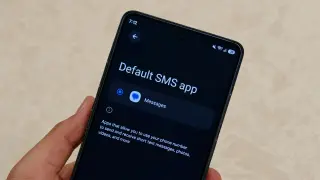
Samsung will retire Samsung Messages for US users in July 2026 with little to no grace period; to preserve chat history, switch to Google Messages now, which offers RCS features, AI spam detection, multi-device access, and Gemini AI features. To migrate, download Google Messages and set it as the default SMS app. Note that older Android versions (11 or lower) and some older Galaxy Watch models may have limited compatibility, and after the sunset, unmigrated conversations will be lost and only emergency messages will work on Samsung Messages.
Google Messages’ latest beta adds per-chat themes with customizable color palettes and new wallpaper backgrounds, offering galleries or the option to use your own photo, plus a reset to defaults as the feature nears wider rollout.