Tag

Updates

All articles tagged with #updates

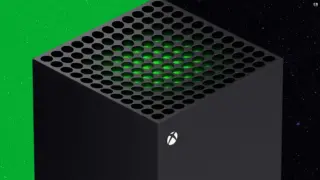
Xbox preview update adds Home cleanup, Day One badge, and local save controls
gaming5 days ago

Xbox preview update adds Home cleanup, Day One badge, and local save controls

Microsoft's latest Xbox update preview for Insiders adds several quality‑of‑life tweaks: you can remove items from the top 'Recent Games and Apps' on the Home screen, manage local game saves via Settings > System > Storage, enable Immersive Background mode to hide Home tiles, and see a new Day One badge for Day One achievement owners; the Wishlist now auto-removes purchased titles. The update is rolling out to Alpha/Alpha Skip‑Ahead rings with broader release in September.

technology8 days ago

Firefox 154 Introduces Manage AI Quick Action and UI Tweaks

Mozilla's Firefox 154 arrives with a new 'Manage AI' quick action in the address bar to access AI settings, plus changes such as favicon refresh during hard reloads, Local Access Network protections for WebSocket connections, cross-platform restoration of backed-up profiles, Android updates, and vertical tab improvements; developer notes highlight WebDriver enhancements and the sandbox manifest key; available for download via Mozilla's FTP.

ChromeOS 151 Rolls Out with UI Tweaks, Gemini Safety Enhancements, and 18 Security Fixes
technology11 days ago

ChromeOS 151 Rolls Out with UI Tweaks, Gemini Safety Enhancements, and 18 Security Fixes

ChromeOS 151 is rolling out to Chromebooks and ChromeOS Flex, adding UI tweaks, stronger Gemini-safe browsing, and 18 CVE fixes. Key changes include a Smart Auto-Hide bookmark bar with admin controls; real-time Safe Browsing in Gemini sessions; sunset of legacy Chrome Apps in Kiosk mode and migration to PWAs; ChromeOS Flex GPU/hardware cutoffs with some devices staying on 150; stricter incognito URL filtering and enterprise policy enforcement. Availability varies by device, with most devices updating now and Lenovo Chromebook Plus 14 possibly delayed.

Windows 11 KB5101684 update boosts reliability and speed on low-RAM PCs
technology13 days ago

Windows 11 KB5101684 update boosts reliability and speed on low-RAM PCs

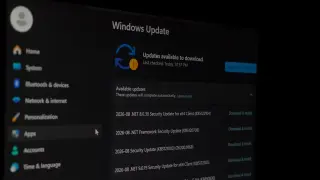
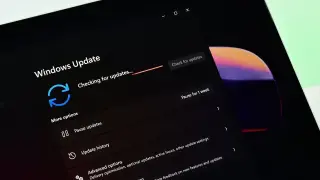
Microsoft’s Windows 11 KB5101684 update adds reliability and performance improvements across versions 24H2/25H2/26H1. It enhances Explorer-related tasks (Jump Lists, recent files), file sharing, and Task View, plus lock/login screen stability and startup responsiveness for Start Menu/Taskbar. The post-update cleanup is lighter, making systems feel faster immediately after install. While benefits are claimed for all RAM levels, devices with 8GB RAM or less should notice the biggest gains in responsiveness.

AI-assisted Zoom screen-sharing bug allows remote device takeover, patched
technology14 days ago

AI-assisted Zoom screen-sharing bug allows remote device takeover, patched

Cybersecurity researchers found a flaw in Zoom's Workspace screen-sharing that could let attackers remotely execute code and take control of a victim's device without any action from the user; the issue affects Windows, macOS, iOS, Android, and Linux and was AI-assisted to develop the exploit in under a day. Zoom has issued fixes across affected versions, and users should update to the latest build to mitigate the risk. The story also notes a separate macOS Screen Sharing vulnerability prompting additional updates.

Ten-Year Milestone: No Man’s Sky Explored Less Than 1% Of Its Planets
games15 days ago

Ten-Year Milestone: No Man’s Sky Explored Less Than 1% Of Its Planets

On its 10th anniversary, No Man’s Sky has drawn millions of players and rolled out 40 free updates, turning it into a feature-packed sandbox. Yet studio head Sean Murray notes that even with ongoing exploration, players have seen less than 1% of the game’s 18 quintillion planets — a reflection of the universe’s enormous scale (seeing everything would take 500+ billion years). The message also highlights continued platform support, awards for the evolving game, and future plans including Light No Fire and a COSMOS update.

Macs and Updates: Why Skipping macOS Isn’t a Great Idea
technology23 days ago

Macs and Updates: Why Skipping macOS Isn’t a Great Idea

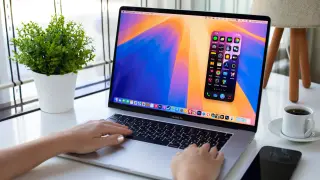
MacBooks auto-update by default, but you can disable automatic updates. Skipping major macOS updates means missing new features and critical security patches, and can break app compatibility and services like iCloud. Minor updates (e.g., 26.1) patch bugs and boost performance, but delaying major upgrades leaves you exposed to vulnerabilities. Apple typically releases annual major updates (often in September–October) and supports Macs for about eight years; older Intel Macs may lose security support sooner. For most users, staying reasonably current offers the best balance of security and functionality, though you can delay updates on very old hardware if needed.

Chrome Updates Without Restart: Google Tests AI-Powered Patching
tech26 days ago

Chrome Updates Without Restart: Google Tests AI-Powered Patching

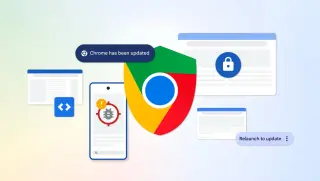
Google is pursuing Chrome updates that don’t require a restart, using dynamic patching and AI-powered tooling to fix bugs with minimal disruption. With Chrome 149–150 delivering over 1,000 fixes and a planned two-week release cycle (plus potential two weekly security updates), Google aims to reduce N-day attack risk and trigger automatic seamless session restores during opportune restart moments.

Chrome gears up for faster, restart-free updates
technology26 days ago

Chrome gears up for faster, restart-free updates

Google says Chrome’s update cadence could become faster and less disruptive thanks to AI-driven security analysis, piloting features like a zero-window restart on macOS and a broader dynamic-patching approach that patches without a full browser restart. After Chrome 149–150 delivered about 1,072 bug fixes (including a 13-year vulnerability), the goal is more frequent, smoother updates—potentially biweekly or even twice-weekly—to outpace AI-assisted threats.

Post-iOS 26.6 Essentials: Quick Tweaks to Maximize Your Apple Ecosystem
technology28 days ago

Post-iOS 26.6 Essentials: Quick Tweaks to Maximize Your Apple Ecosystem

Apple's iOS 26.6 brings performance, security, and compatibility improvements ahead of iOS 27. After updating, users should synchronize all Apple devices (Watch, HomePod, Apple TV) with any available updates, install carrier settings if prompted, update third‑party apps, refresh Spotlight and Siri (clear caches and restart), and note the new Messages security prompts and blocked-contacts alerts to keep devices stable, safe, and ready for future features.