Tag

Bug

All articles tagged with #bug

Google Photos editing bug freezes Pixel devices, blocking image sharing
technology11 days ago

Google Photos editing bug freezes Pixel devices, blocking image sharing

A software defect in the Google Photos app is preventing many Pixel users from sharing edited images. The issue causes the app interface to freeze after editing actions like cropping or rotating, rendering buttons unresponsive. While Google support has suggested troubleshooting steps, users report these fixes have failed, prompting calls for an official software update.

Landscape-mode YouTube bug on Android blocks scrubbing and controls
technology18 days ago

Landscape-mode YouTube bug on Android blocks scrubbing and controls

An Android YouTube bug first spotted in April still affects users in landscape full-screen mode: the bottom area with suggested videos covers the video, obscuring the progress bar and timer and making scrubbing difficult. Workarounds include restarting the app, ensuring the latest update, rotating orientation, using the mobile site, or reporting the issue to Google, though no fix has been released yet.

Xbox Bug Spawns Invisible 0-G Phantom Achievements That Break 100% Completions
gaming21 days ago

Xbox Bug Spawns Invisible 0-G Phantom Achievements That Break 100% Completions

A bug on Xbox adds invisible phantom achievements worth zero Gamerscore to certain games, spoiling players’ 100% completion counts without changing total Gamerscore. These phantoms resemble old 0G, time-limited or removed challenges from past titles (e.g., Devil May Cry 4: Special Edition, Ryse: Son of Rome, Metal Gear Solid V), causing some users to see unfinished progress even after completing a game. Microsoft/Xbox says the issue is known and being fixed, with Galaxy-era questions about retroactive platinum-style achievements left for later clarification.

Windows 11 KB5120998 update resets desktop settings, wallpaper turns black
technology1 month ago

Windows 11 KB5120998 update resets desktop settings, wallpaper turns black

Microsoft says the August 27, 2026 Windows 11 preview update KB5120998 can cause desktop settings to fail to load, making wallpapers display as solid black and potentially resetting themes, slideshow, and other display preferences on devices running 24H2 and 25H2. Affected users may be unable to restore their custom settings, and the issue affects the optional, non-security update; if the “Get the latest updates as soon as they’re available” option is enabled, it can install automatically.

Windows 11 update reverts user mouse cursor customizations
technology1 month ago

Windows 11 update reverts user mouse cursor customizations

Microsoft says the August 2026 Windows 11 preview update KB5120998 can revert or alter mouse cursor customization, sometimes replacing high-DPI cursors with larger white ones, and users can’t reliably restore prior settings. The company is investigating and asks affected users to file Feedback Hub reports. The optional update also includes Start menu, taskbar, and Windows search improvements for 25H2/24H2.

Windows 11 Cursor Chaos Tied to Optional KB5120998 Update
technology1 month ago

Windows 11 Cursor Chaos Tied to Optional KB5120998 Update

Windows 11’s optional KB5120998 update (Build 26200.9278/26100.9278) is reportedly breaking mouse cursor customization (size/color and default schemes) and resetting wallpapers, with additional font issues; Microsoft says it’s investigating and notes the problem appears after installation, advising affected users to uninstall the update to restore cursor settings—the issue typically resolves upon removal and could be followed by a rollback or emergency fix.

Google Photos drag-to-select vanishes on several Android devices
technology2 months ago

Google Photos drag-to-select vanishes on several Android devices

Google Photos users on Pixel, Galaxy, and OnePlus devices report that the drag-to-select multi-photo feature has disappeared, forcing people to tap each photo individually. Some users note it still works on tablets, suggesting a bug rather than an intentional change. Android Authority has reached out to Google for comment and will update as more information becomes available.

Global glitch makes Google Search time filters spit out random results
technology2 months ago

Global glitch makes Google Search time filters spit out random results

Google Search’s time filters are broken worldwide, returning results from random dates instead of the selected timeframe across accounts, devices, and queries. Android Authority notes the issue appears persistent for days, with a workaround to use explicit date operators (e.g., after:YYYY-MM-DD) until Google patches the bug; the problem may be due to the filter’s JavaScript while the underlying search operator remains functional.

technology3 months ago

Windows 11 storage bug can eat up to 500GB—how to check and fix

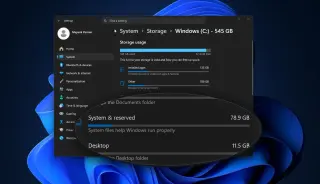
A Windows 11 bug in the Capability Access Manager can balloon its database file (CapabilityAccessManager.db-wal) to hundreds of gigabytes, potentially filling drives and slowing the system. It’s not obvious from the usual storage view, so use disk-space tools like TreeSize, WinDirStat, or WizTree (or run a robocopy check) to locate the large file. Microsoft has a fix in the June 2026 optional update KB5095093, with full rollout slated for July Patch Tuesday; install via Windows Update → Advanced options → Optional updates. Do not delete or uninstall the component while the fix is pending.

June 2026 Windows updates flip Recycle Bin prompts to internal filenames
technology3 months ago

June 2026 Windows updates flip Recycle Bin prompts to internal filenames

Microsoft says the June 2026 security updates introduce a bug where deleting a single item from the Recycle Bin shows the internal $Rxxxxx filename in the confirmation dialog instead of the original filename, while the Recycle Bin display and restoration work correctly. The issue affects all supported Windows client and server editions after the updates, with a fix planned in a future update. A temporary business workaround is available via Microsoft Support.